
Watch: Trivia Race (2:13) · All videos
What it is
In Trivia Race, teams or players run along a track. Everyone answers each multiple choice question, and a right answer moves the racer forward, further for harder questions.
Add it to your show
It is one step in your Rundown, like any other game. Add it where you want it to play.
- Open the Rundown tab and press Add.
- Choose Trivia Race from the menu. It joins the end of the list and opens on the right.
Set it up
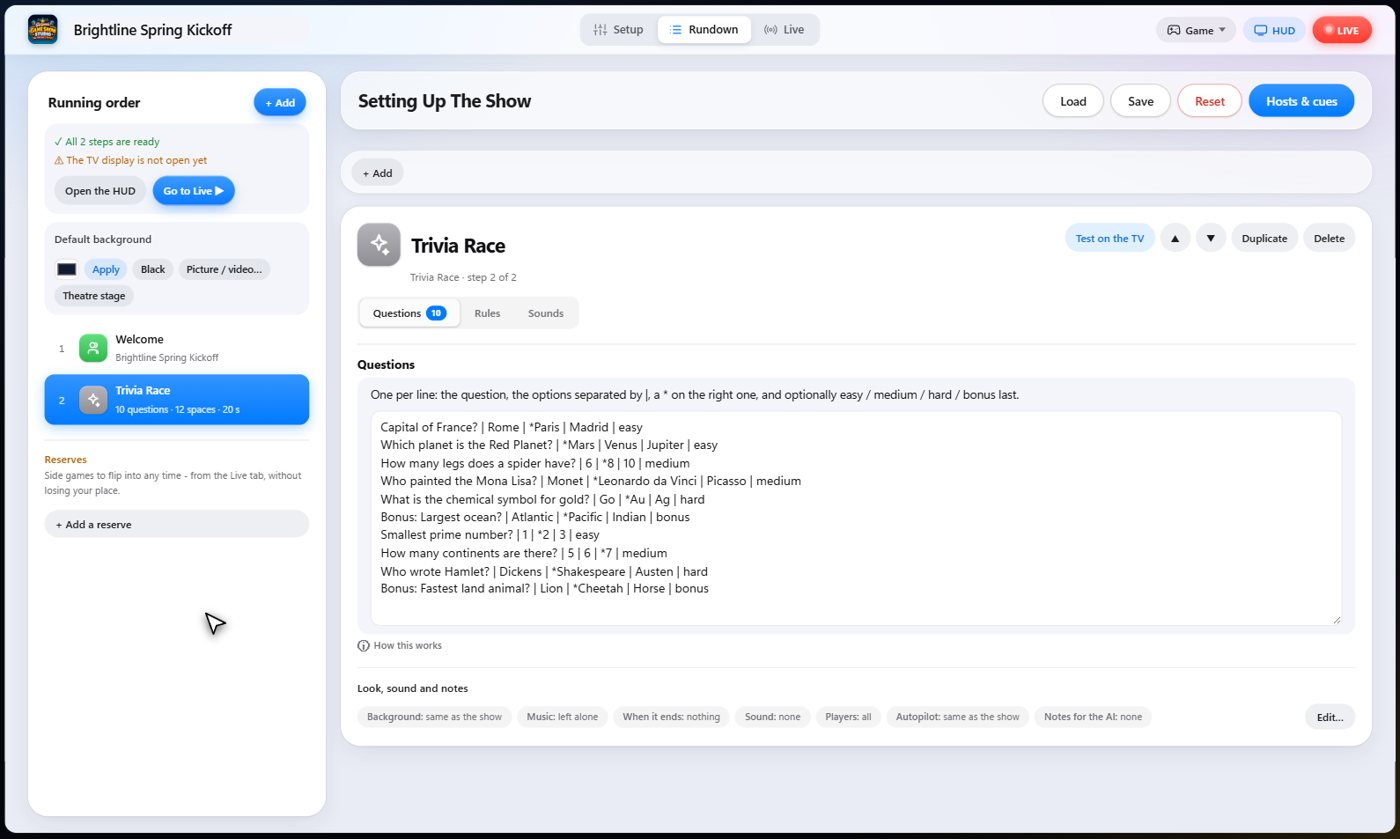
The settings hold your questions, with the answers after bars, a star on the right one, and an optional difficulty at the end: easy, medium, hard or bonus.
Choose the length of the track, whether a wrong answer sets a racer back, the points for each right answer and for winning, and the question timer.
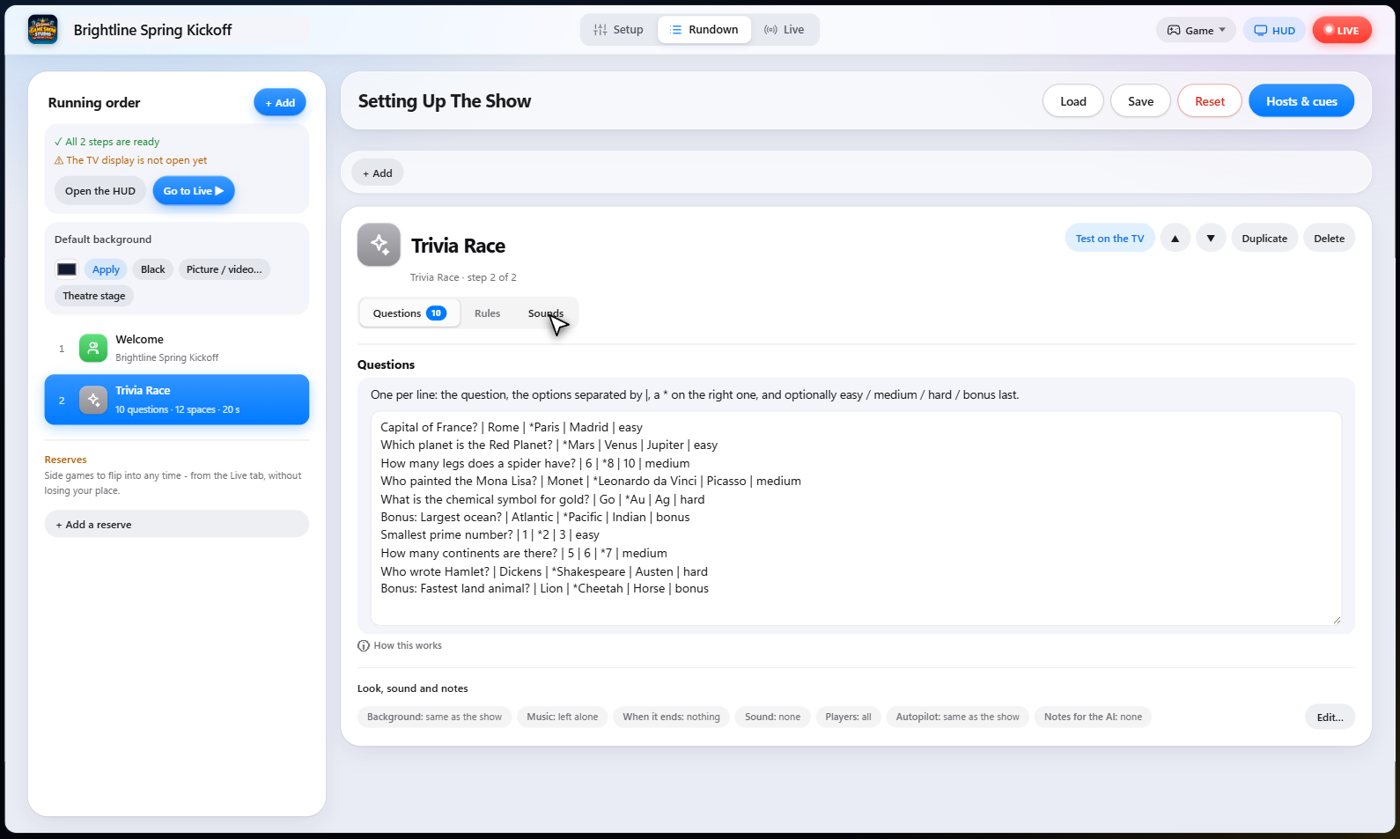
The Sounds tab picks the sound effect for each moment of the game.
Answer to move
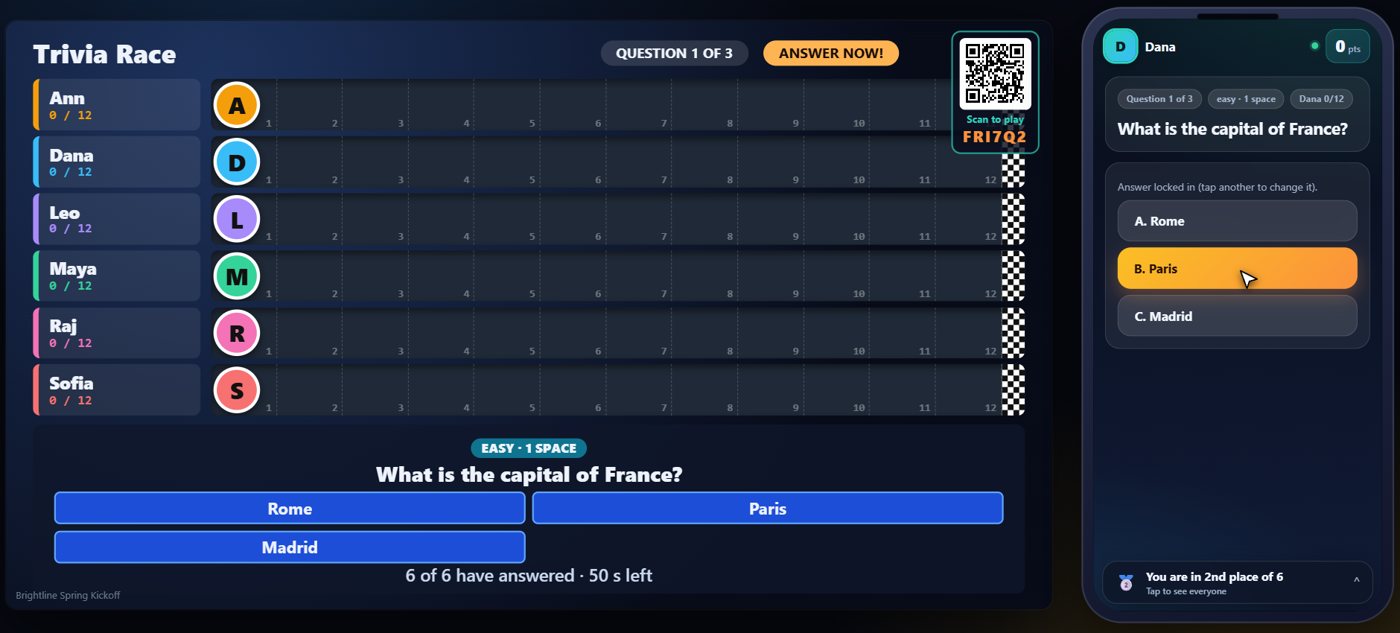
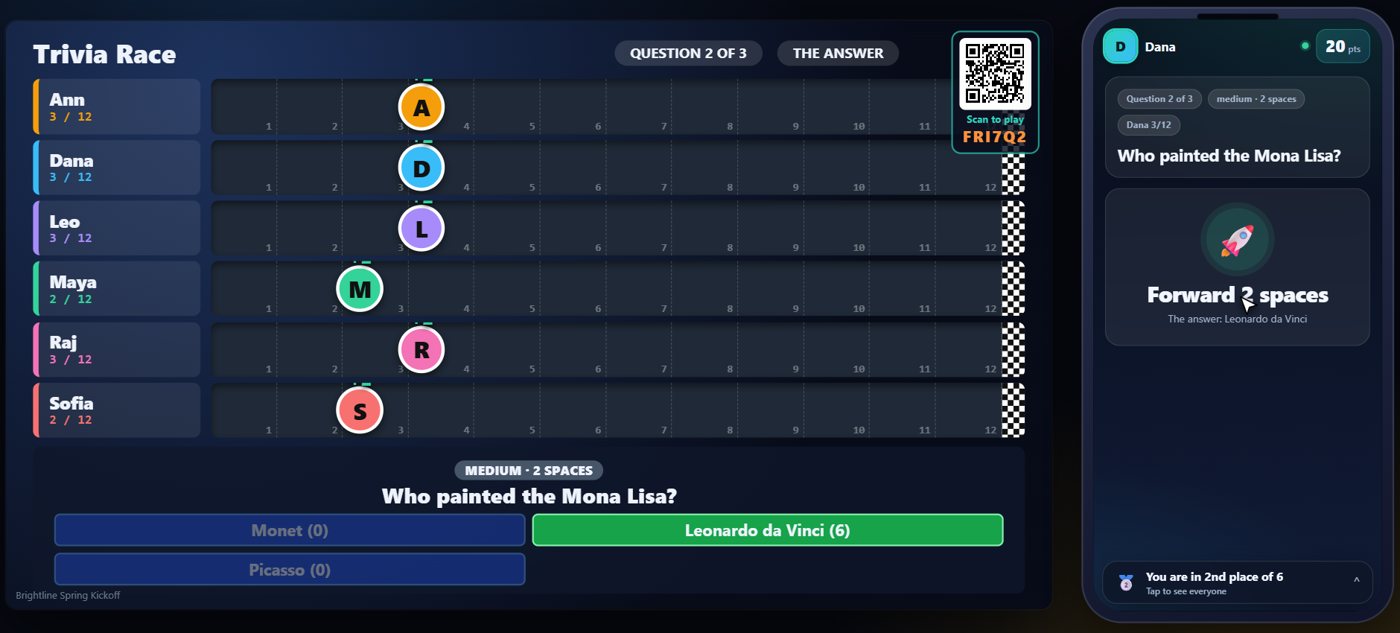
The TV shows the track with a lane for each racer. When a question goes up, every guest answers on their phone.
The racers move
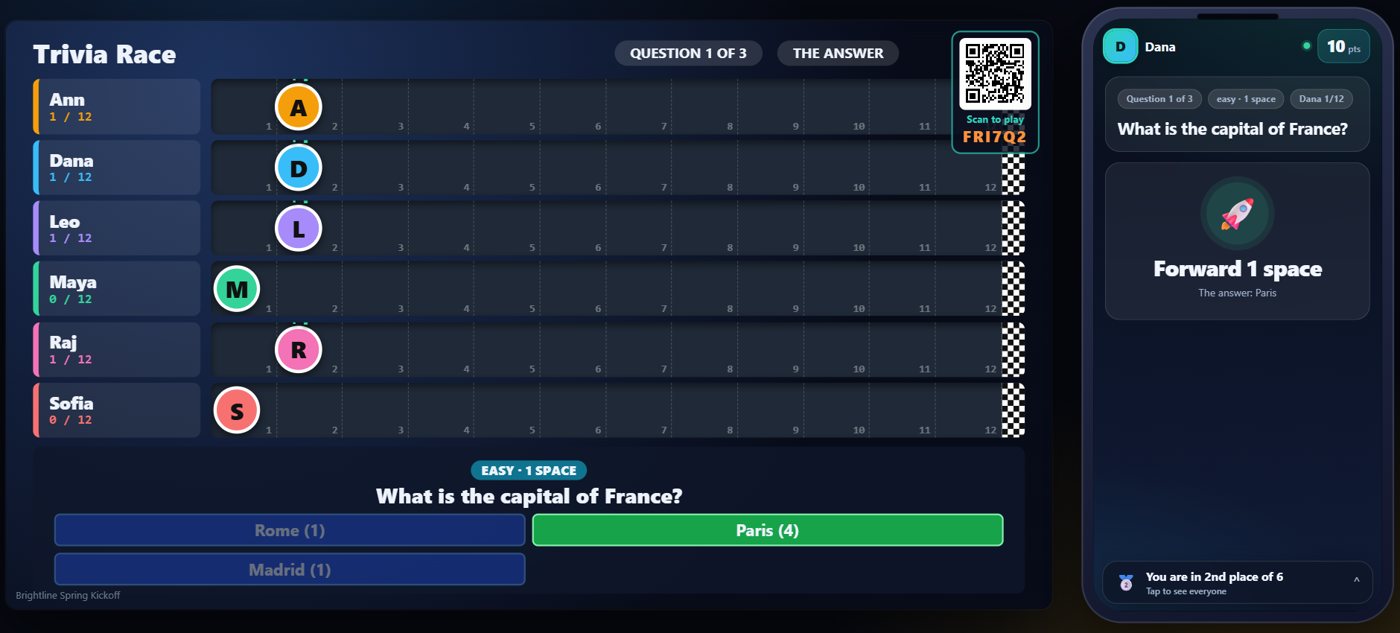
When you reveal, a racer moves forward if most of its guests who answered were right. An easy question moves a racer one space, medium two, hard three, and a bonus question four.
A harder question
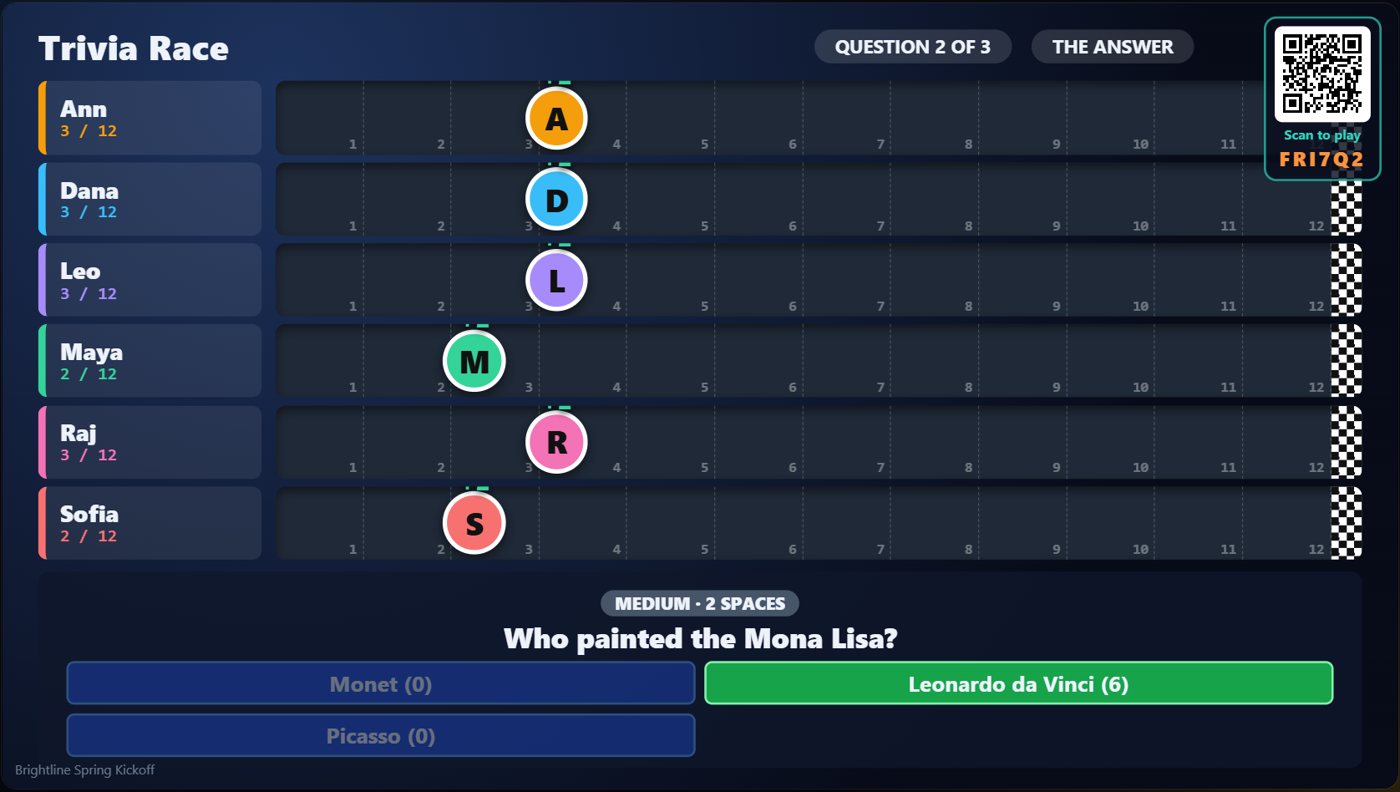
The next question is harder, so a right answer is worth more spaces. Racers that did not move this time stay where they are, and the track on the TV shows every racer's place. Play carries on question by question until a racer crosses the finish line.
Your controls on the Live tab
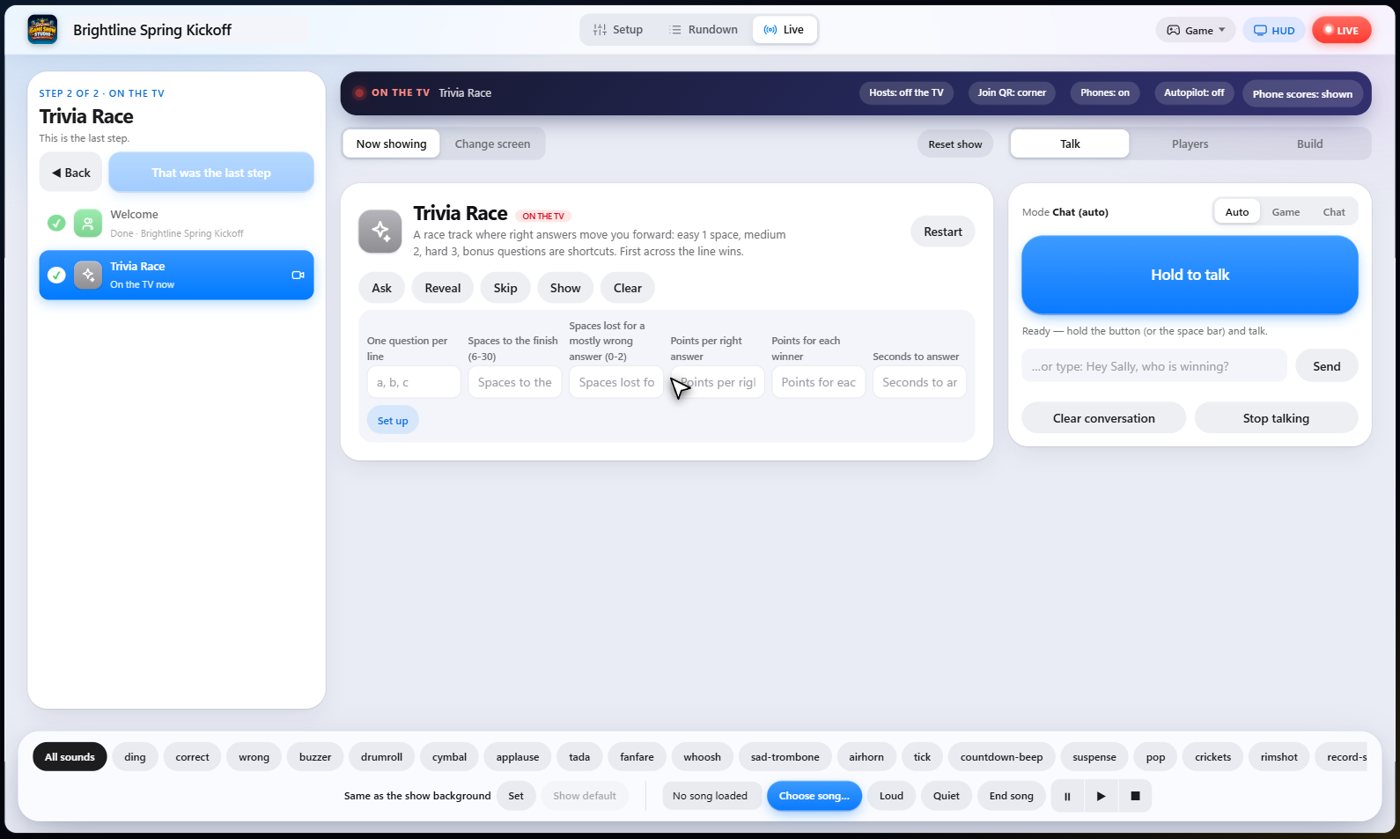
On the Live tab, Ask opens the next question, Reveal shows the answer and moves the racers, and Skip drops a question so nobody moves.
Tip The same keys are on the Host Remote, so you can run Trivia Race from a phone or tablet.
How it ends
The TV shows how far each racer has come along the track.
Keep going

Build your show
The Rundown: add, arrange, check and save steps; reserves; defaults for every step.

The Host Remote
Run your show from a phone or tablet: start it, tap any step to see its keys, put it on the TV, and flip in a side game.

Your AI cohosts
Choose and name them, give them a personality, tell them about the show, set how they behave.
Something missing or unclear? Check the FAQ or browse all guides.