
Watch: Number Line (2:19) · All videos
What it is
In Number Line, every guest has an empty line of slots. Everyone is dealt the same numbers one at a time, and each number must go in a slot that keeps the line in order.
Add it to your show
It is one step in your Rundown, like any other game. Add it where you want it to play.
- Open the Rundown tab and press Add.
- Choose Number Line from the menu. It joins the end of the list and opens on the right.
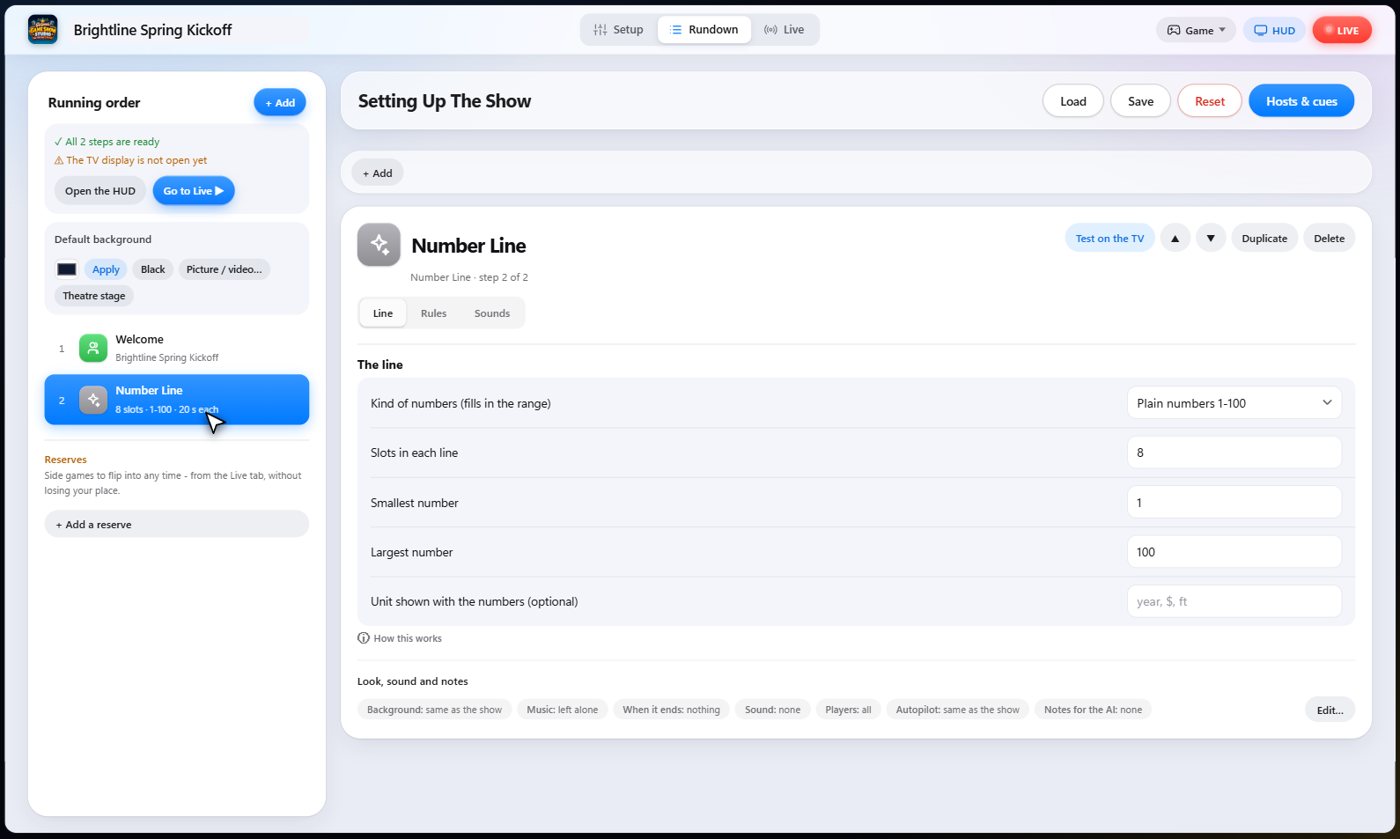
Set it up
The settings choose how long the line is, and the range the numbers come from, such as plain numbers or years. You can add a label for the numbers.
Choose the points for each number placed, the bonus for filling your line, and how long players have for each number.
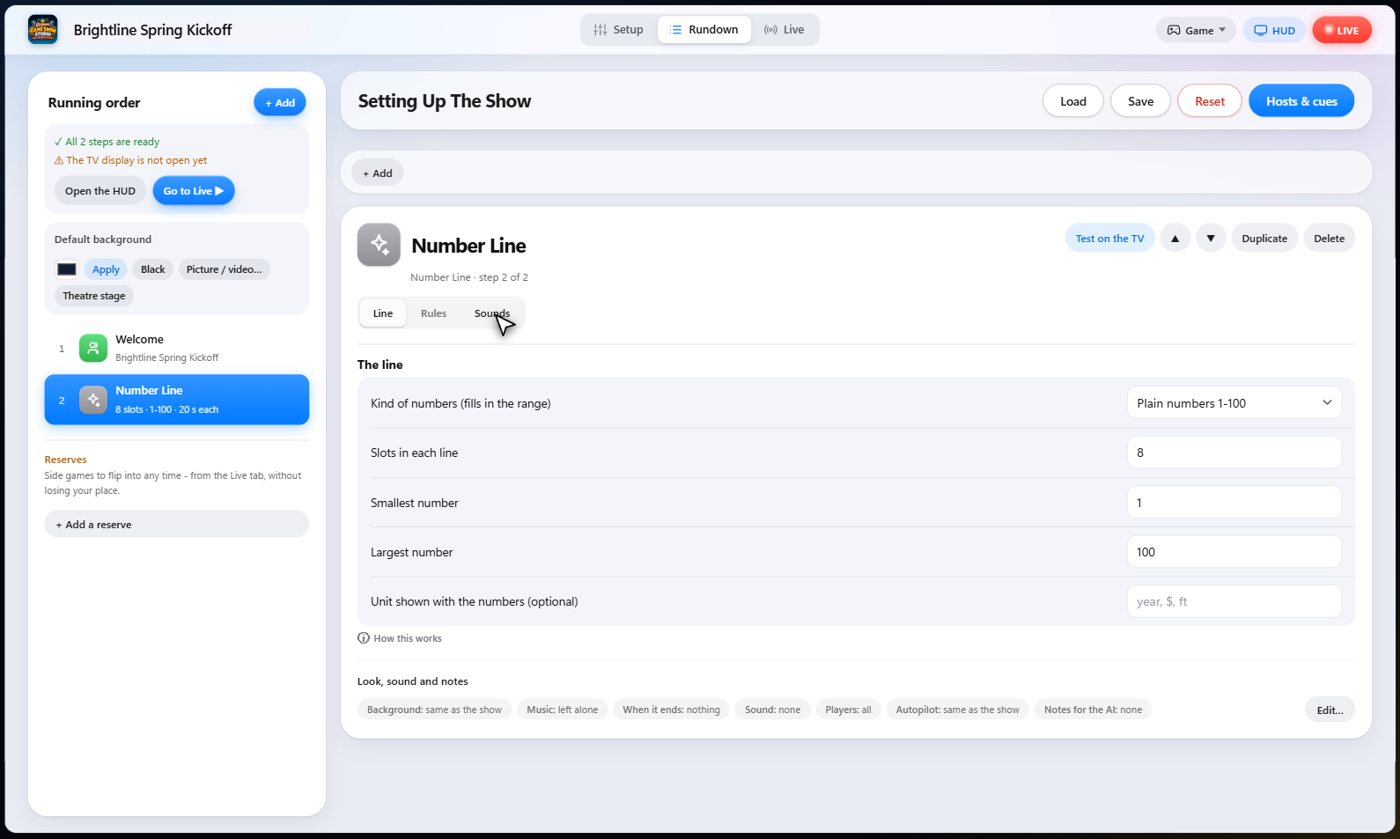
The Sounds tab picks the sound effect for each moment of the game.
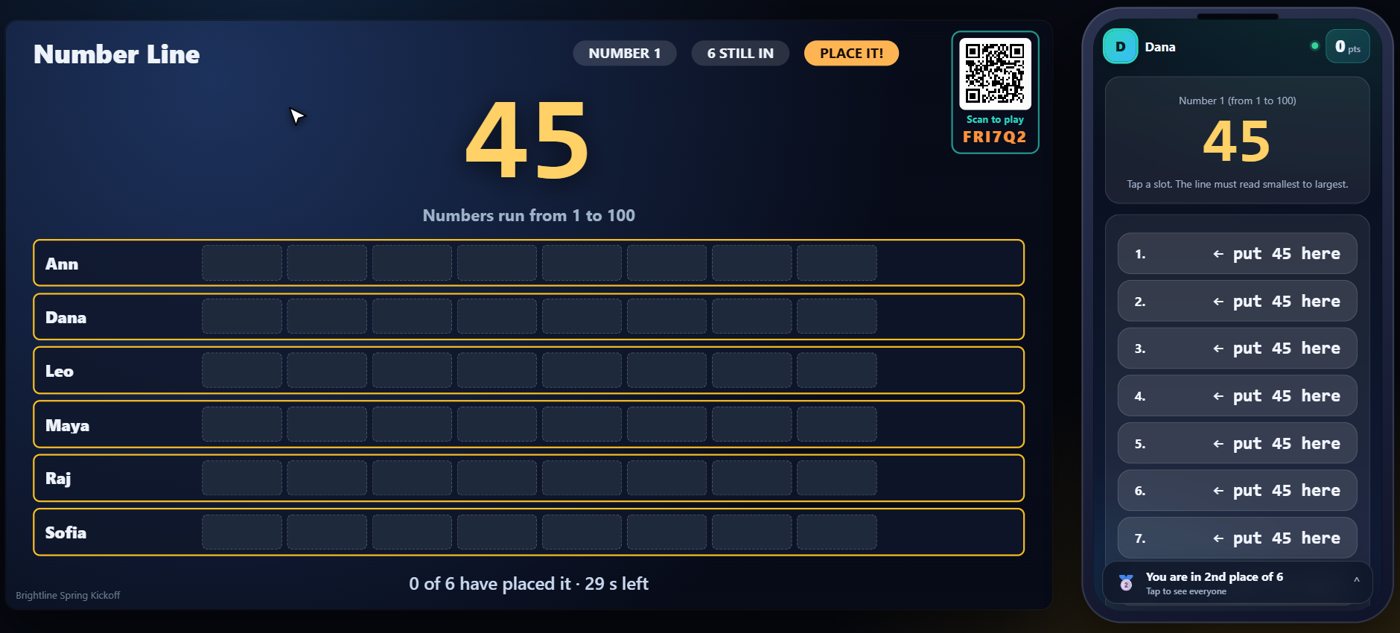
The first number
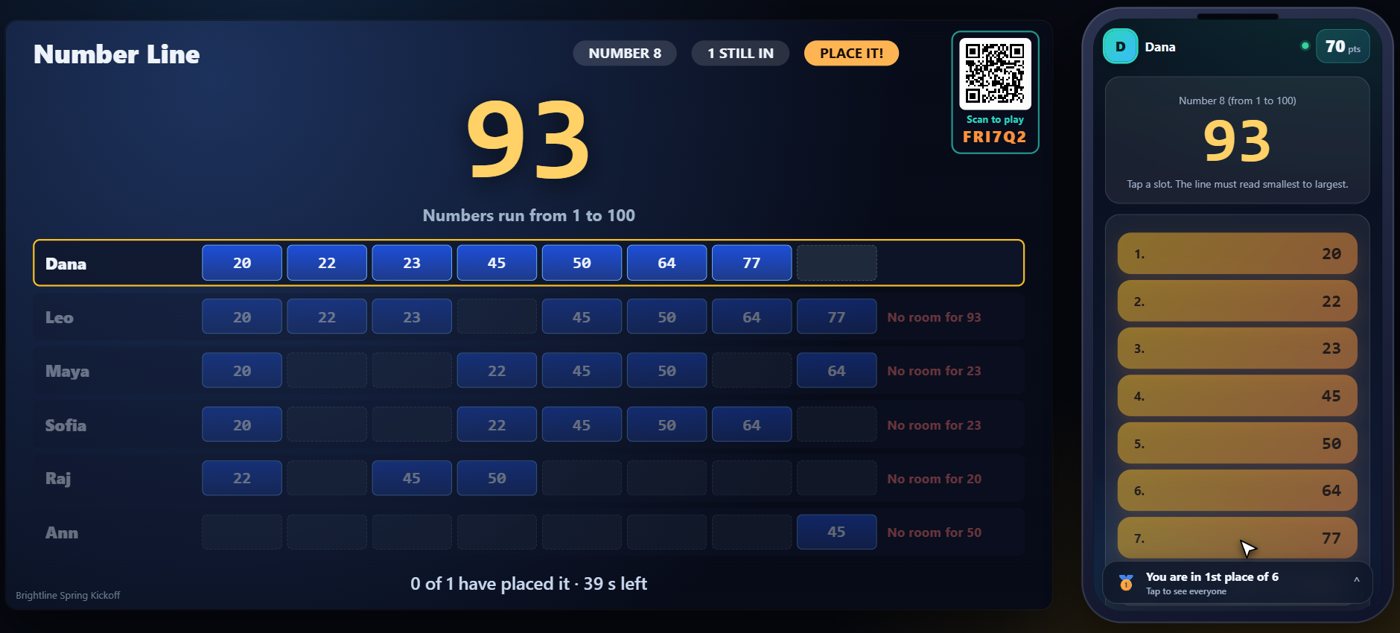
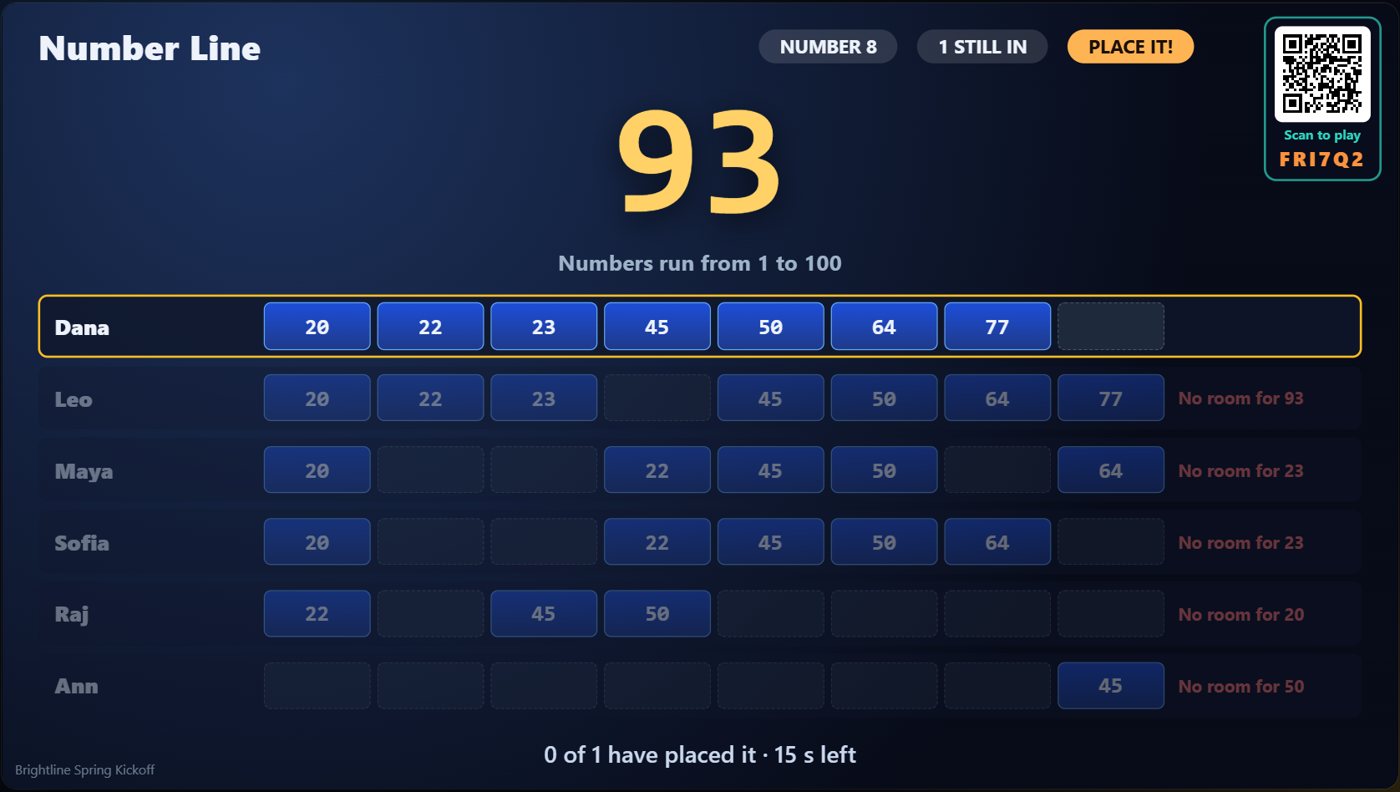
Every guest has their own line of empty slots. The TV shows the number just dealt, and every guest is dealt the same one. Your line must read from smallest to largest, from left to right.
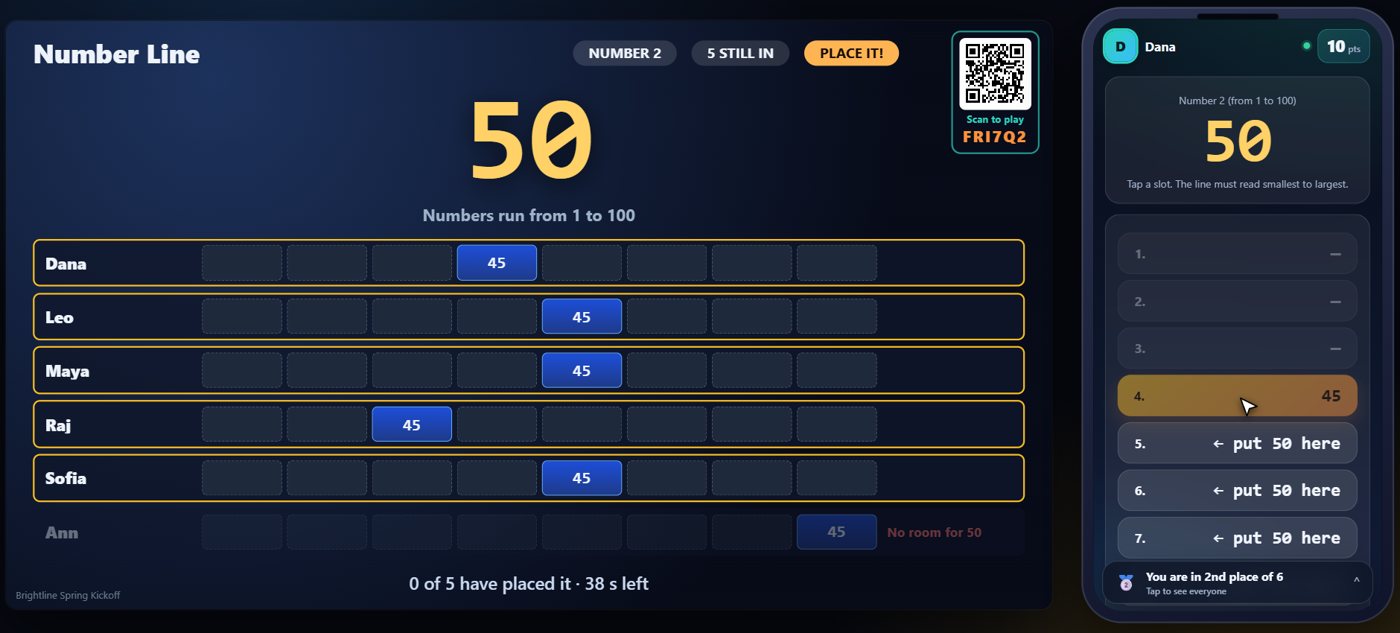
Place it in a slot
Tap a slot to put the number there. The phone only lets you tap slots that keep the line in order, and once a number is placed it never moves.
More numbers
The next number is dealt as soon as everyone has placed the last one, or when the time runs out. Every guest is dealt the same numbers, but each places them differently, so the lines on the TV end up different. A guest who is slow is placed automatically in the first slot that fits, so a missed tap does not knock anyone out. If a number has no slot left that keeps the line in order, that guest is out.
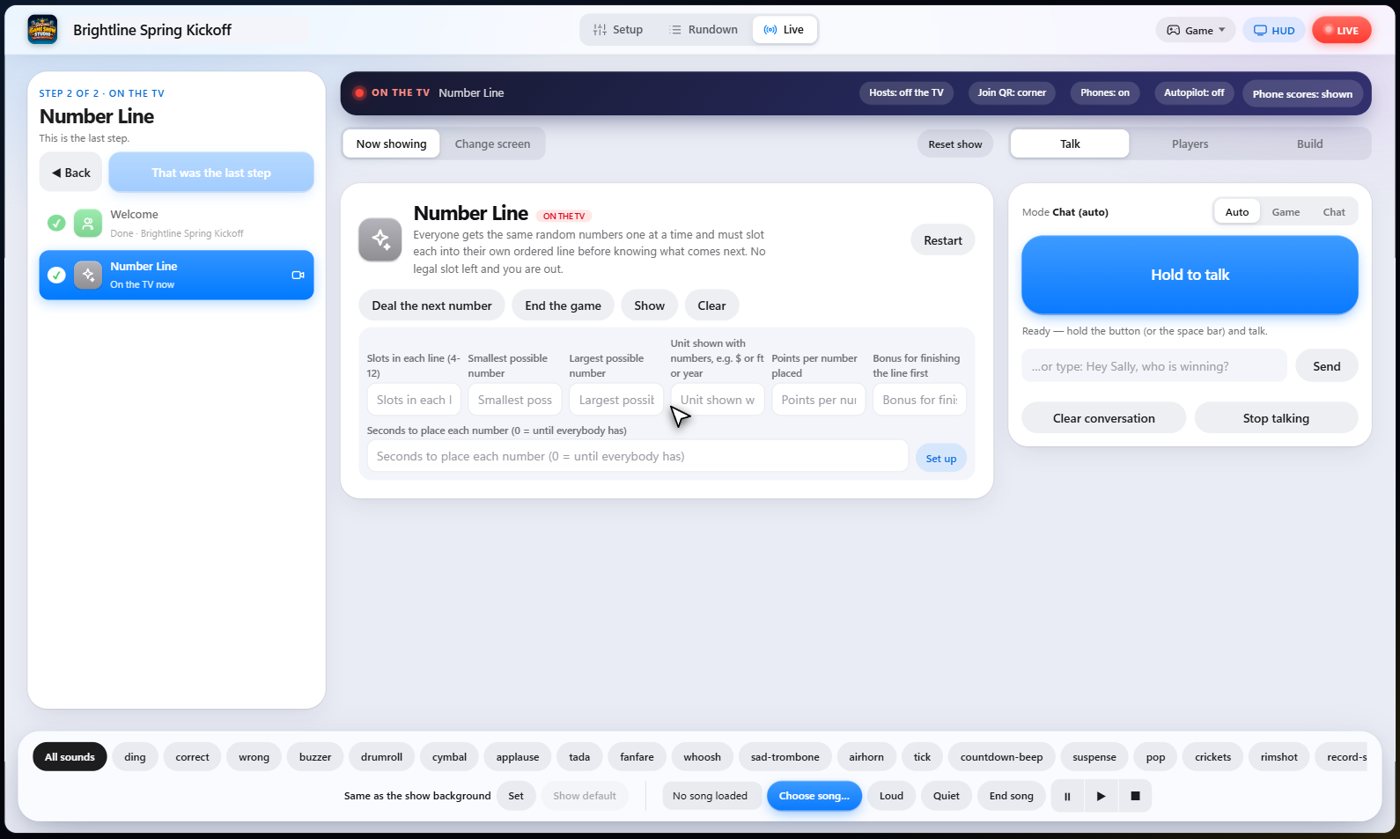
Your controls on the Live tab
On the Live tab, Deal the next number settles the last one, placing it for anybody who has not, and deals the next. End the game stops now and ranks the players.
Tip The same keys are on the Host Remote, so you can run Number Line from a phone or tablet.
How it ends
The TV shows every guest's line and how far along it is. Filling your line first earns the biggest bonus.
Keep going

Build your show
The Rundown: add, arrange, check and save steps; reserves; defaults for every step.

The Host Remote
Run your show from a phone or tablet: start it, tap any step to see its keys, put it on the TV, and flip in a side game.

Your AI cohosts
Choose and name them, give them a personality, tell them about the show, set how they behave.
Something missing or unclear? Check the FAQ or browse all guides.