
Watch: Take a Side (2:21) · All videos
What it is
In Take a Side, two debaters are given opposite sides of a proposition at random, whatever they believe. They argue it, and the rest of the room votes for the better argument.
Add it to your show
It is one step in your Rundown, like any other game. Add it where you want it to play.
- Open the Rundown tab and press Add.
- Choose Take a Side from the menu. It joins the end of the list and opens on the right.
Set it up
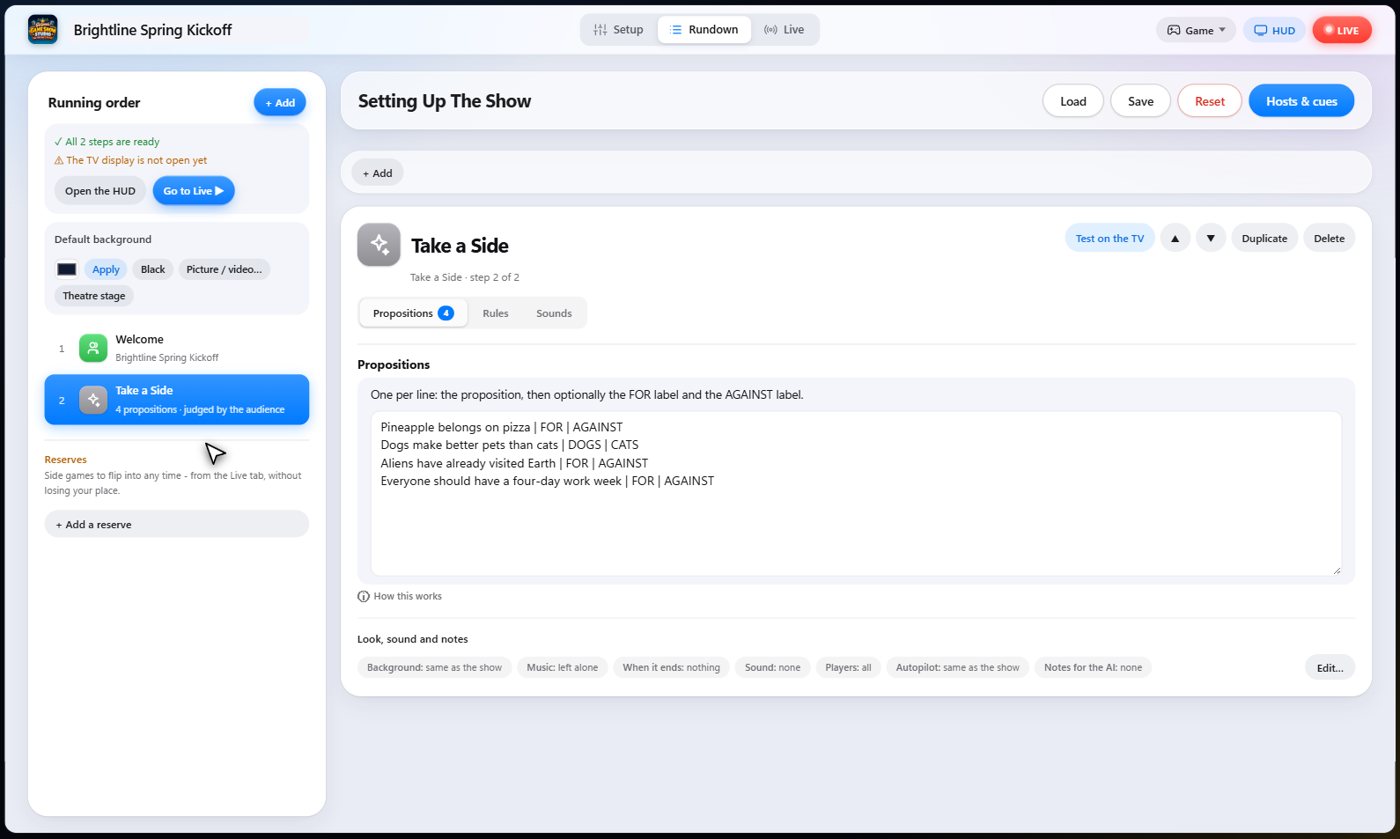
The settings hold your propositions, one per line, with a label for each side after bars.
Choose who judges: the audience, you, or both. Choose the length of each opening speech and rebuttal, the voting time, and the points for winning.
The Sounds tab picks the sound effect for each moment of the game.
The debaters
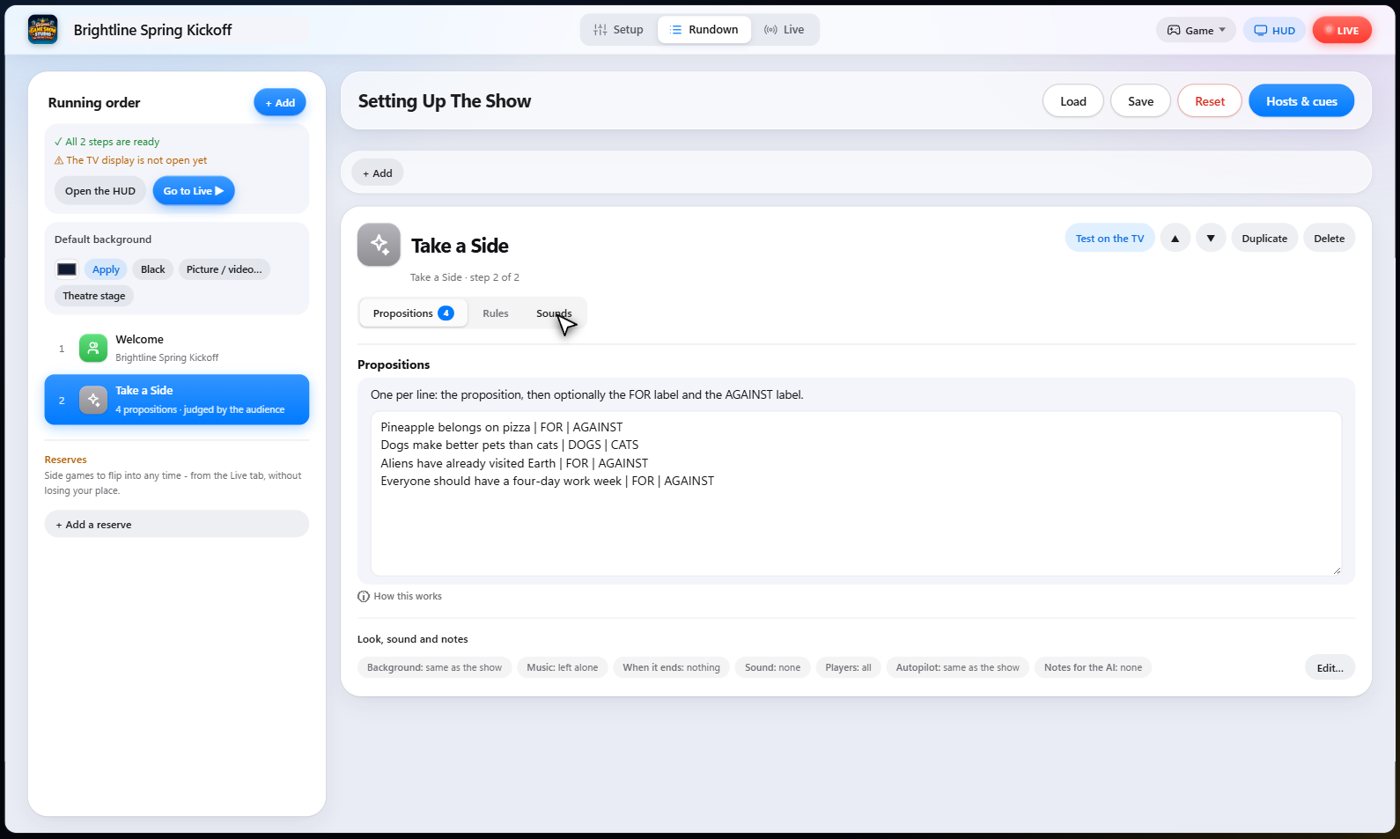
When you put a proposition up, two debaters are drawn, two teams if you have them, otherwise two players. Each is assigned a side, whatever they really think. The TV shows the proposition and the two sides.
Each side speaks
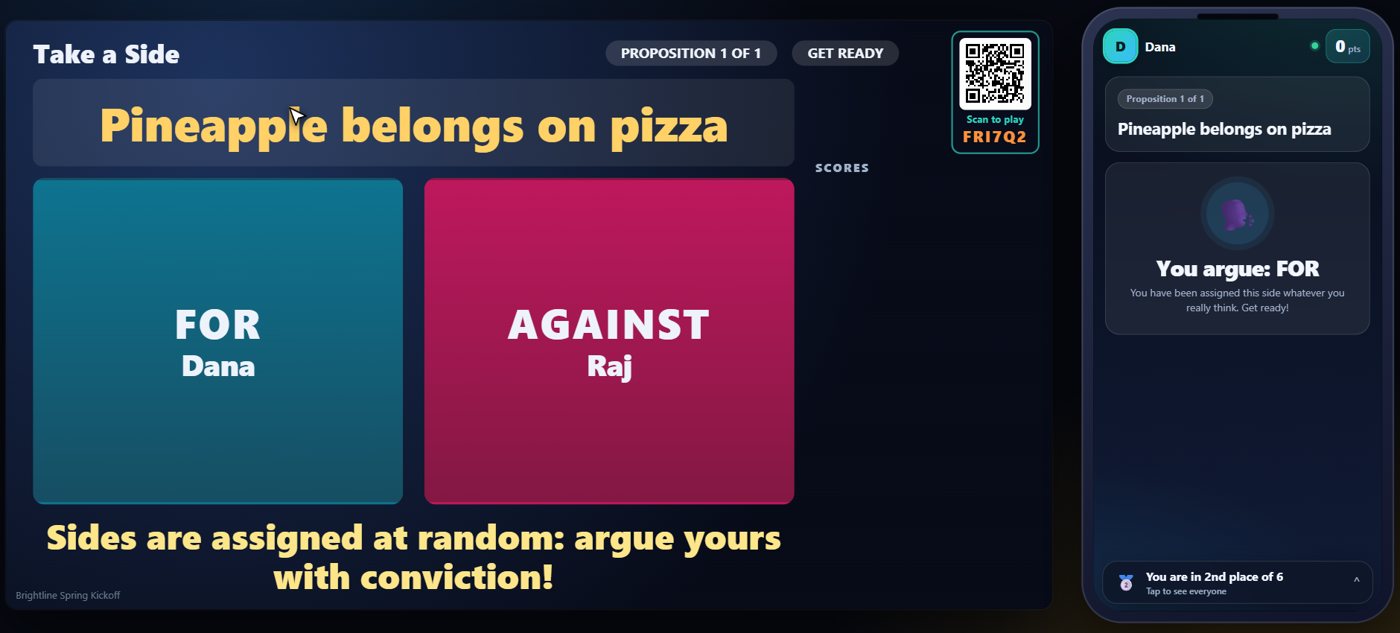
Each debater gets a timed opening, with a big clock counting down on the TV and the speaker lit up, so everyone knows whose turn it is. The speeches are spoken aloud, so the phones only tell each debater their side and when it is their turn.
The room votes
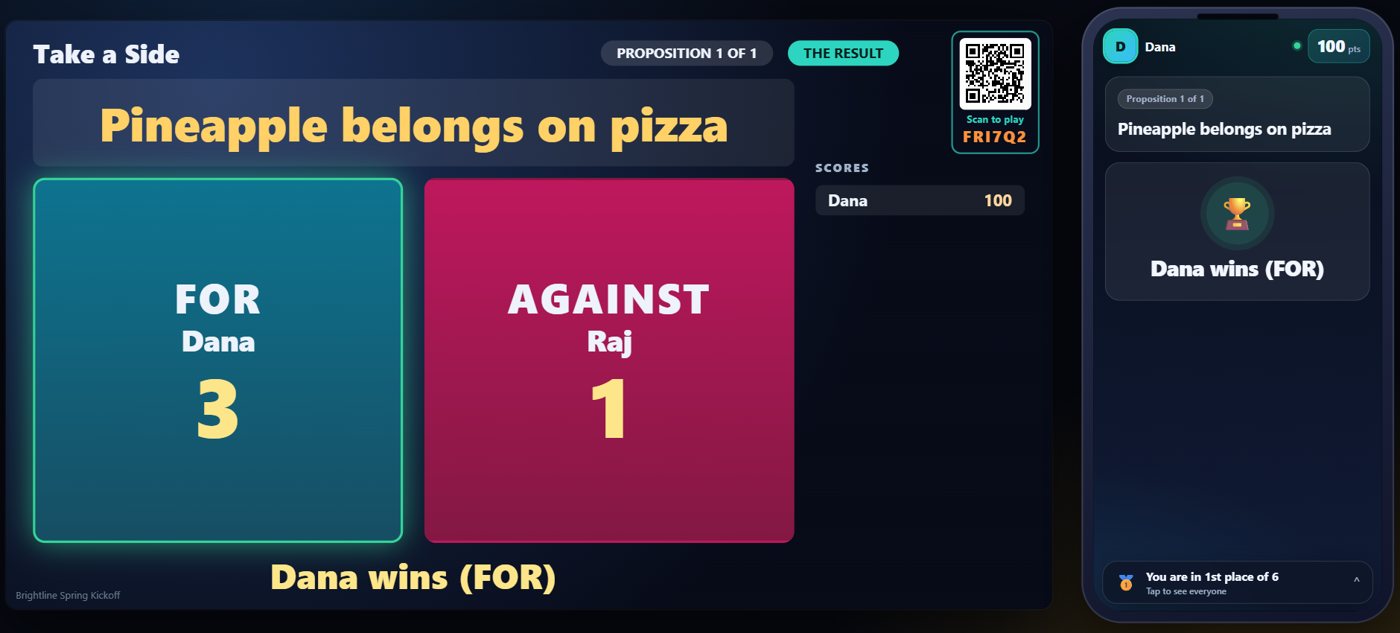
Then everybody who is not debating votes on their phone for the better argument. The debaters cannot vote. When you announce the result, the TV names the winner.
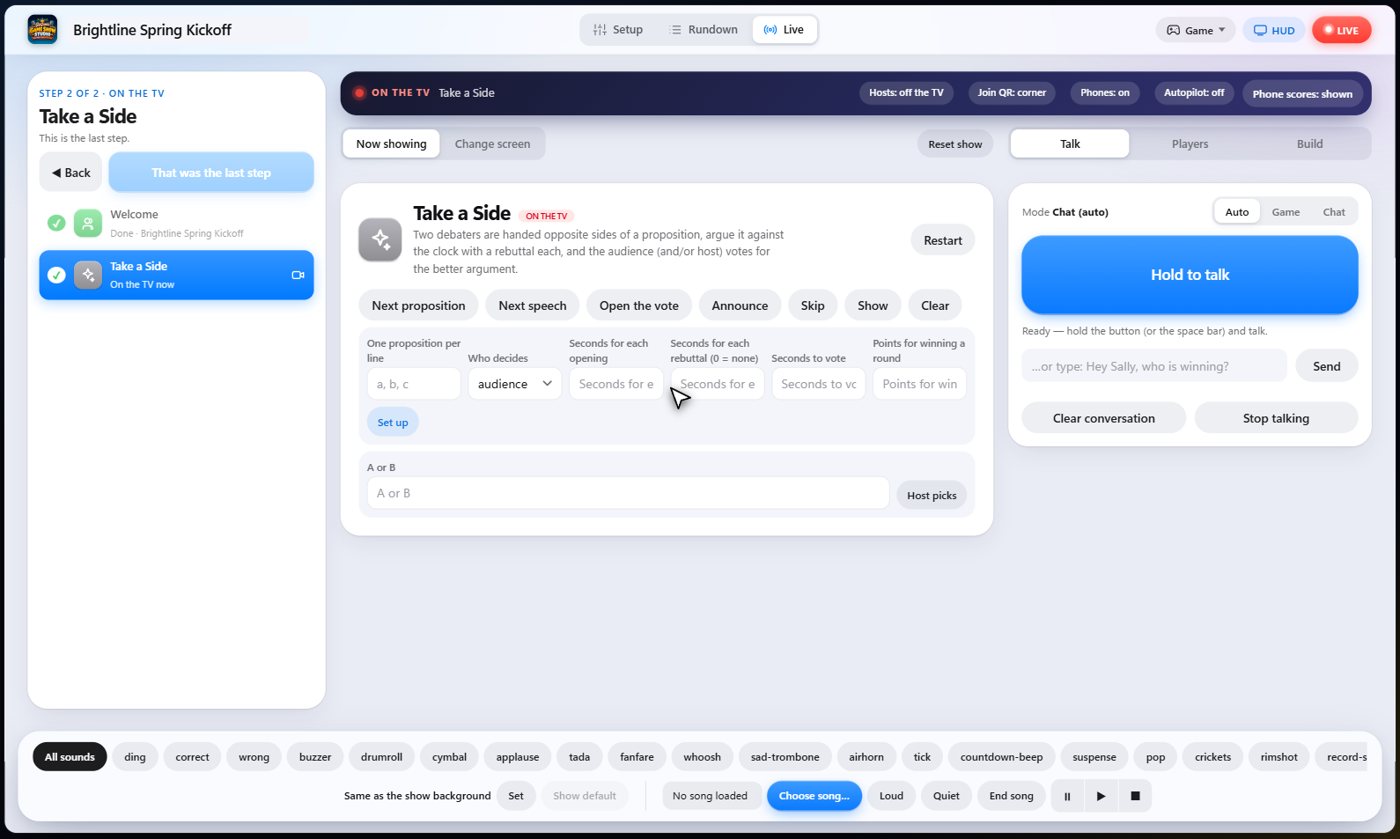
Your controls on the Live tab
On the Live tab, Next proposition draws the debaters, Next speech starts the clock on the next speech, Open the vote skips ahead to the vote, Host picks lets you choose the winner yourself, and Announce closes the vote and names the winner.
Tip The same keys are on the Host Remote, so you can run Take a Side from a phone or tablet.
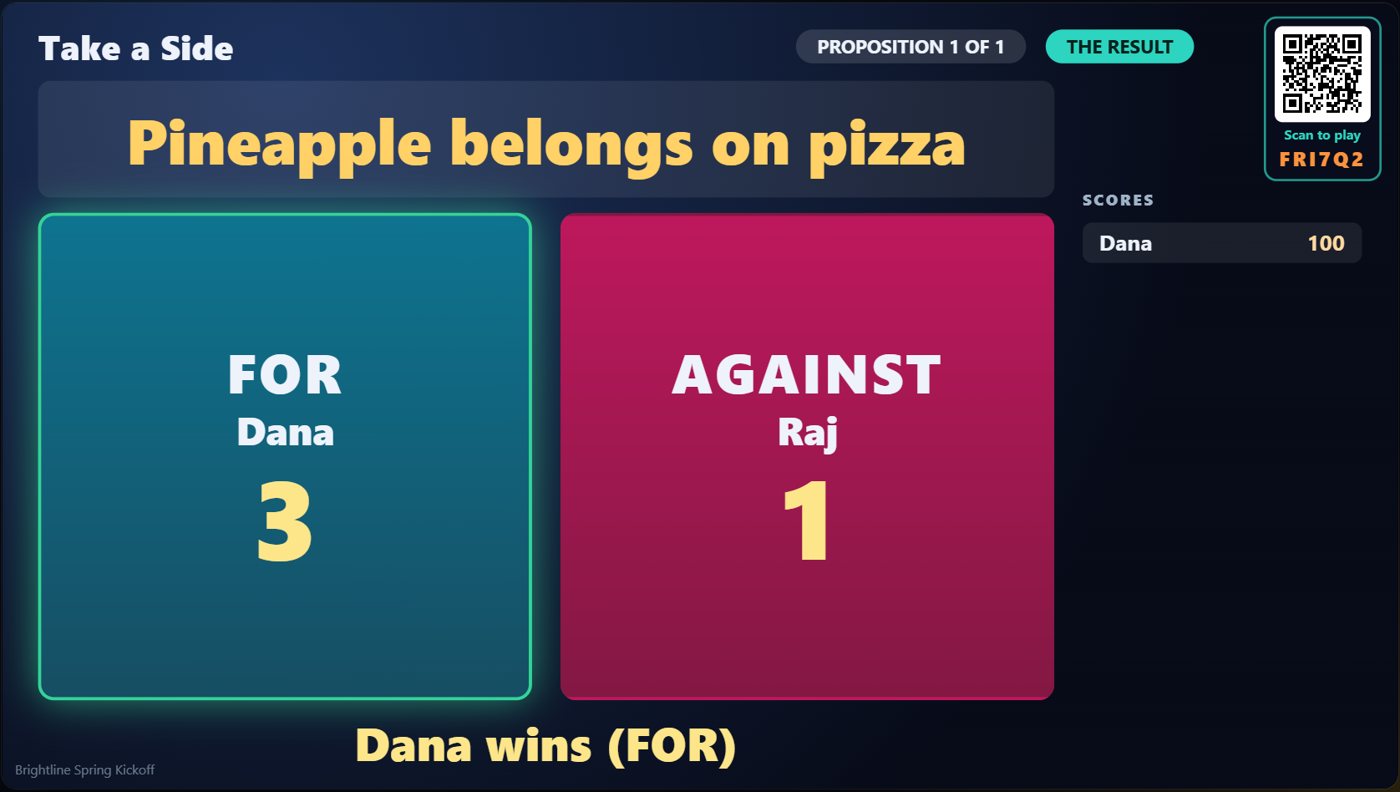
How it ends
The TV shows the winning side, and the points go to the winner.
Keep going

Build your show
The Rundown: add, arrange, check and save steps; reserves; defaults for every step.

The Host Remote
Run your show from a phone or tablet: start it, tap any step to see its keys, put it on the TV, and flip in a side game.

Your AI cohosts
Choose and name them, give them a personality, tell them about the show, set how they behave.
Something missing or unclear? Check the FAQ or browse all guides.