
Watch: Rapid Run (2:55) · All videos
What it is
In Rapid Run, every guest runs the same course of short challenges on their phone at their own pace. Clear one to unlock the next, and be first to finish.
Add it to your show
It is one step in your Rundown, like any other game. Add it where you want it to play.
- Open the Rundown tab and press Add.
- Choose Rapid Run from the menu. It joins the end of the list and opens on the right.
Set it up
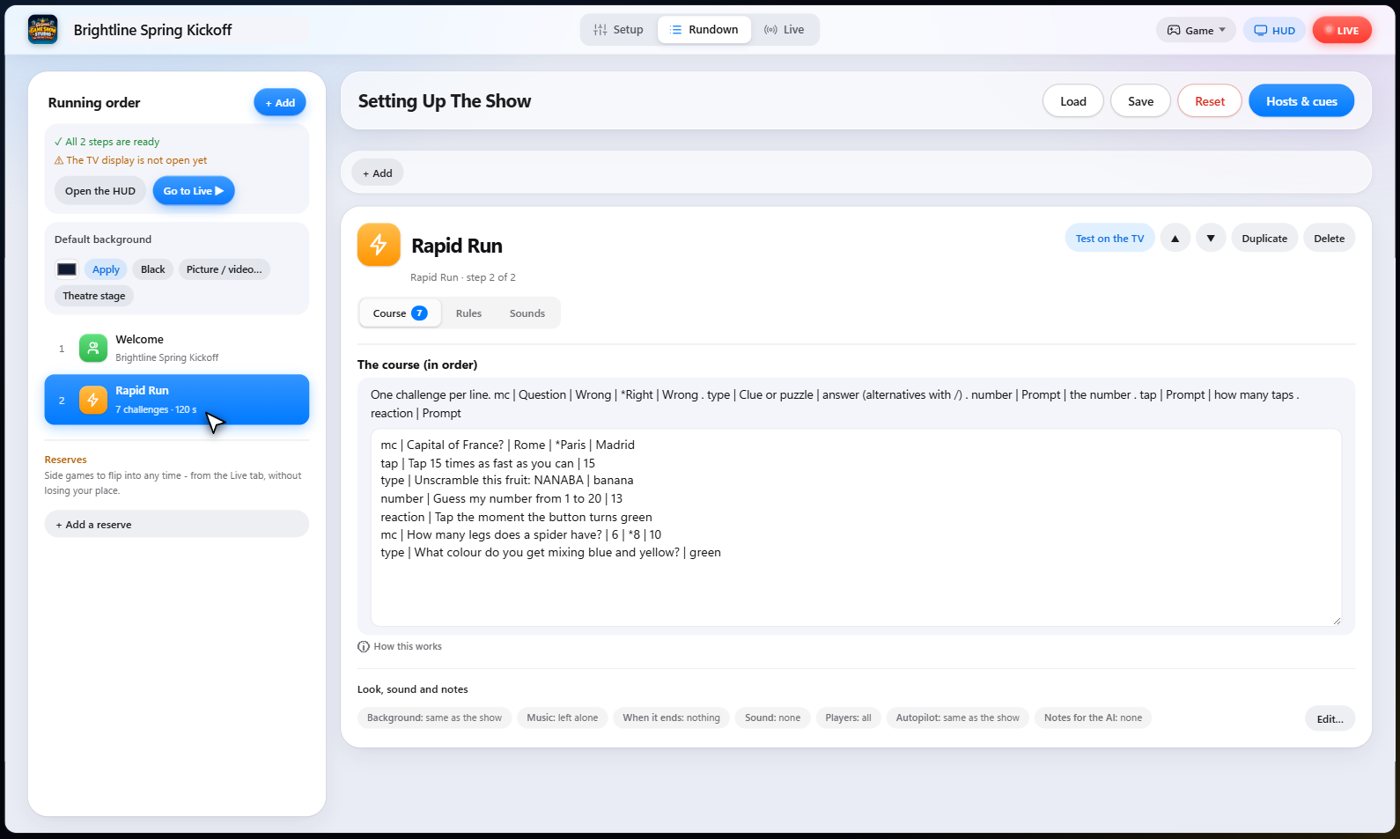
The settings hold your course, one challenge per line. Each starts with its kind: multiple choice, typed answer, guess a number, tap a number of times, or a reaction test.
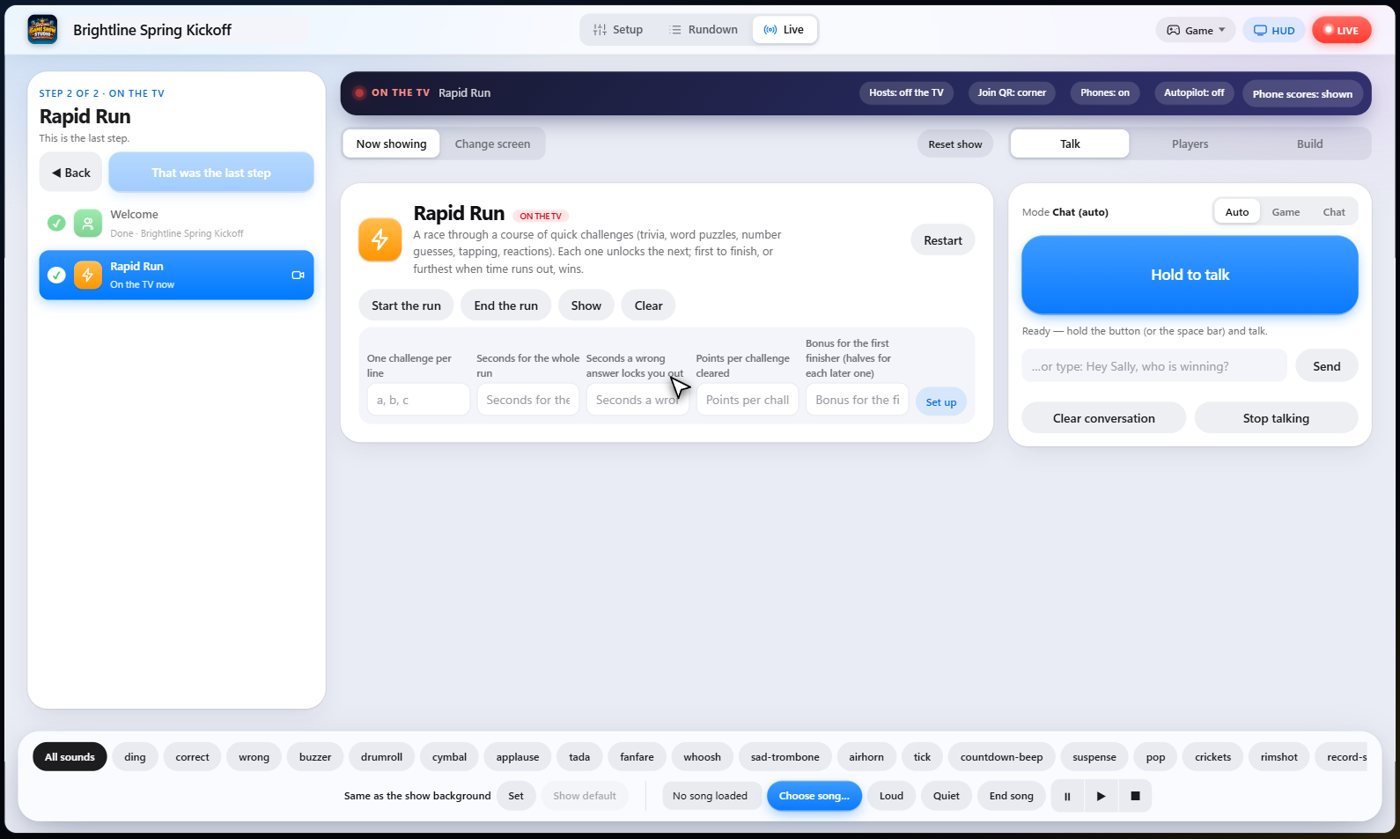
Choose how long the run lasts, how long a wrong answer locks you out, the points for each challenge, and the bonus for finishing first.
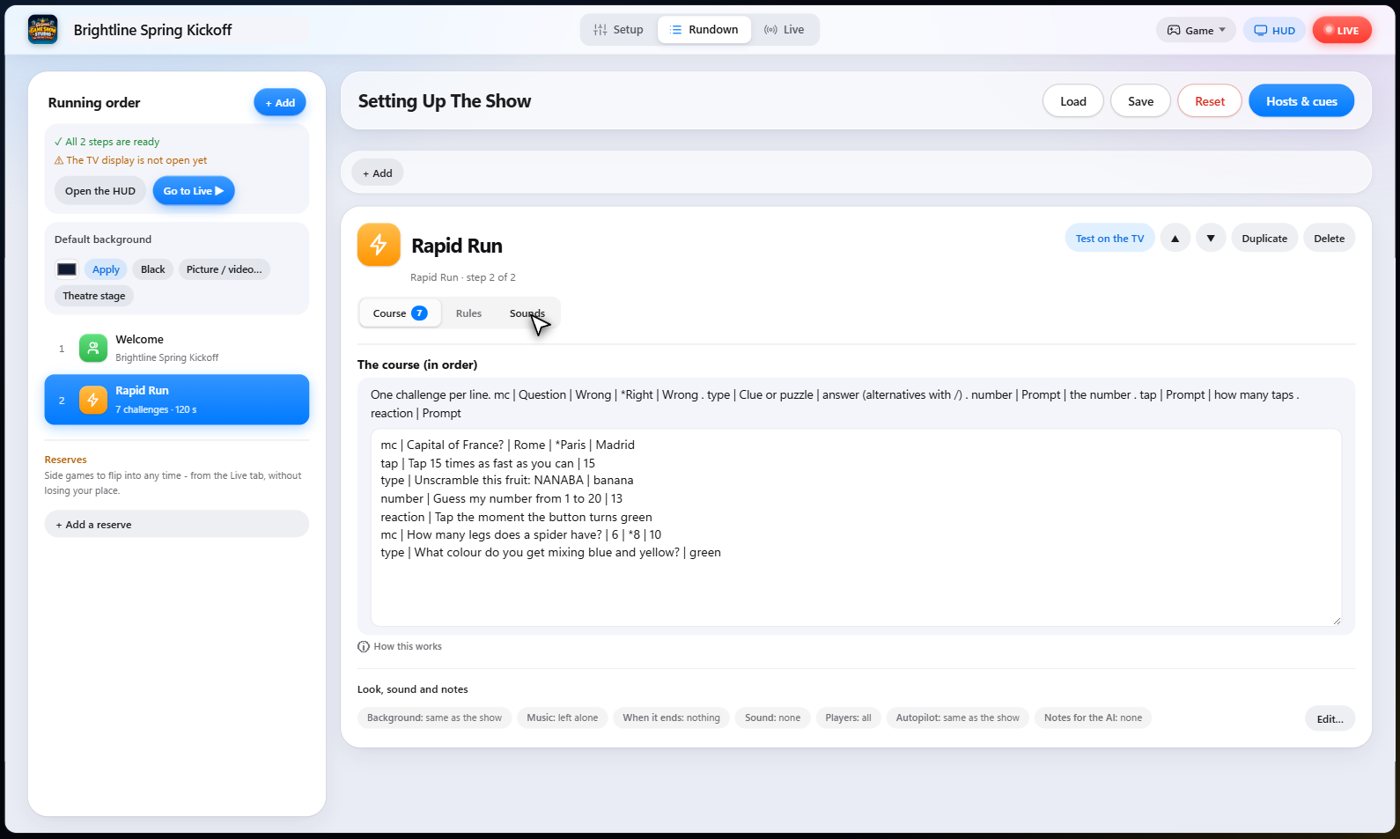
The Sounds tab picks the sound effect for each moment of the game.
Everyone starts
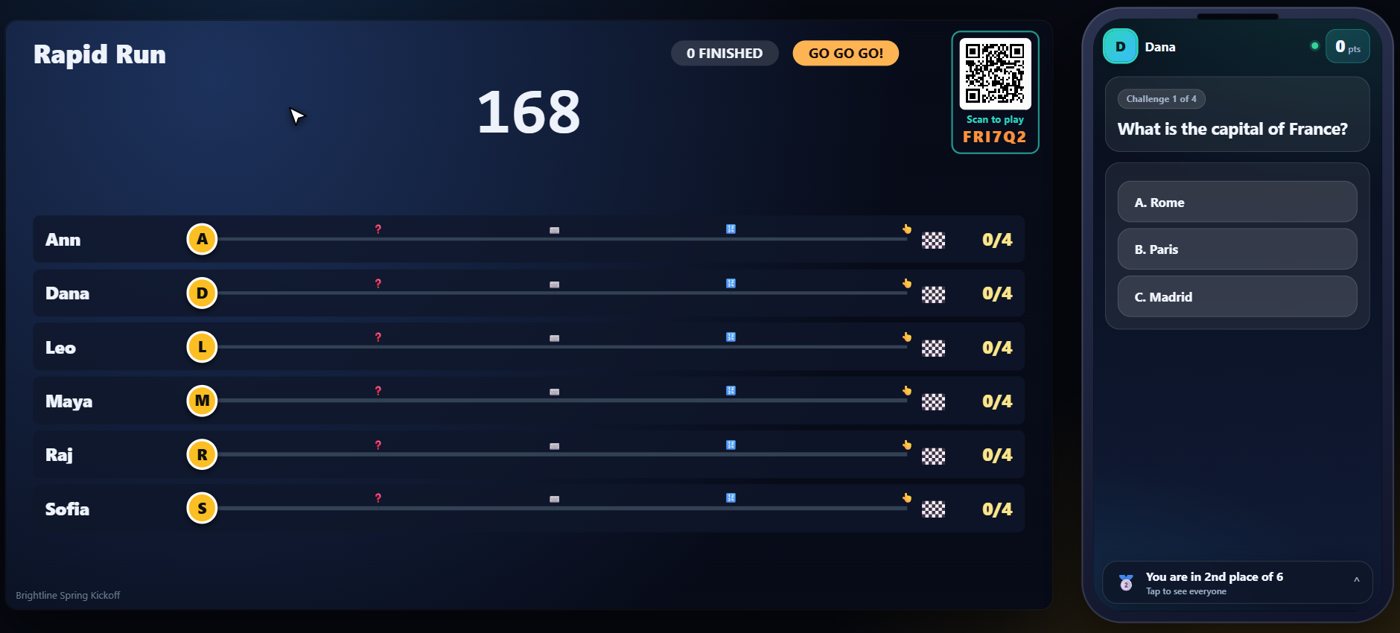
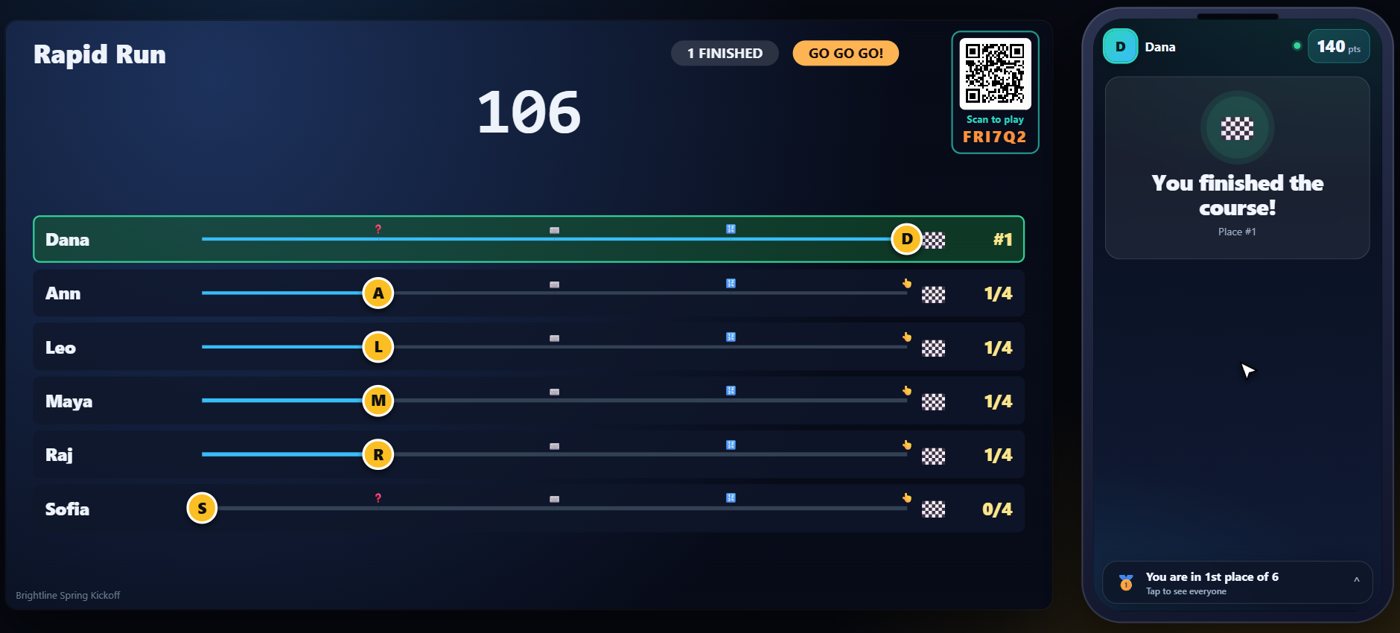
The TV shows a lane for every guest, with a marker that slides along the course, one stop for each challenge. When you start the run, every guest's clock starts at once and the first challenge appears on their phone.
Clear a challenge
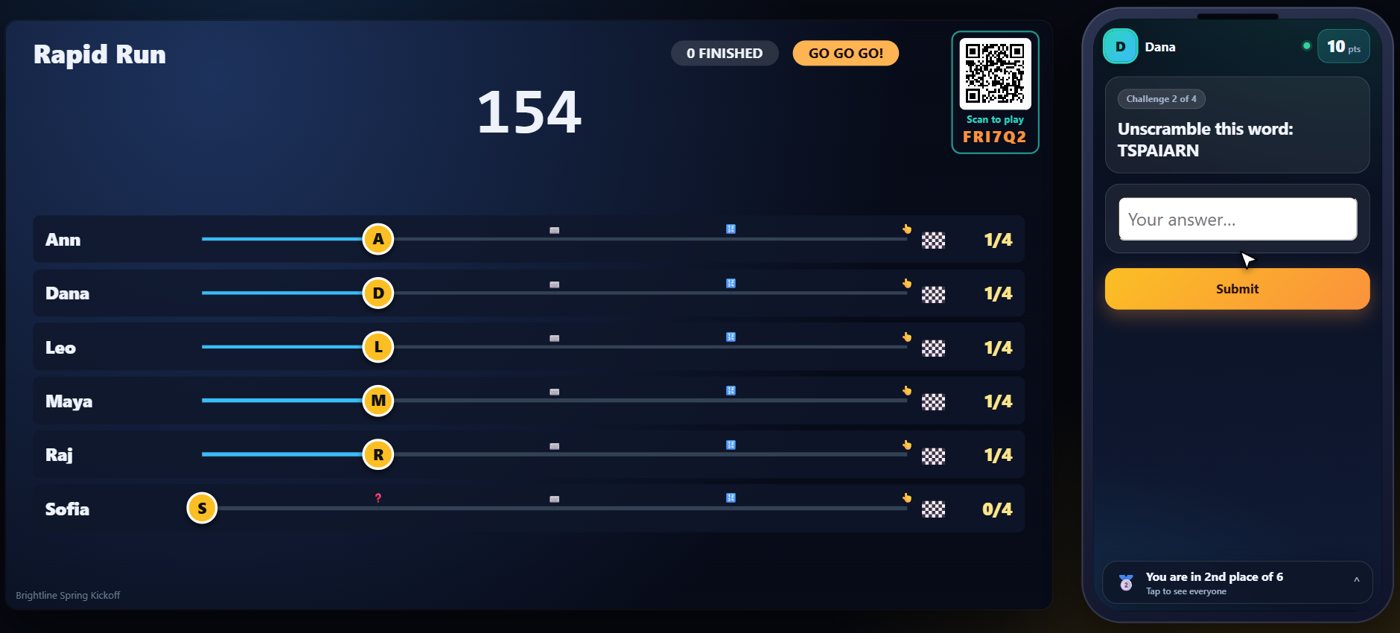
A multiple choice challenge is cleared with the right answer. A wrong answer locks you out for a few seconds. Clearing a challenge unlocks the next one straight away, and your marker moves on the TV.
Typed, number and tap challenges
Other challenges ask you to type an answer, guess a number, or tap a button a set number of times. A typed answer is checked for you, and it ignores capital letters and small spelling slips. In a number challenge, the phone says higher or lower after each try. In a tap challenge, the button counts your taps against the number you need. Each challenge you clear earns points, and a wrong answer locks you out for a few seconds, so wild guessing does not pay. With every challenge cleared, your marker moves along its lane on the TV.
The finish
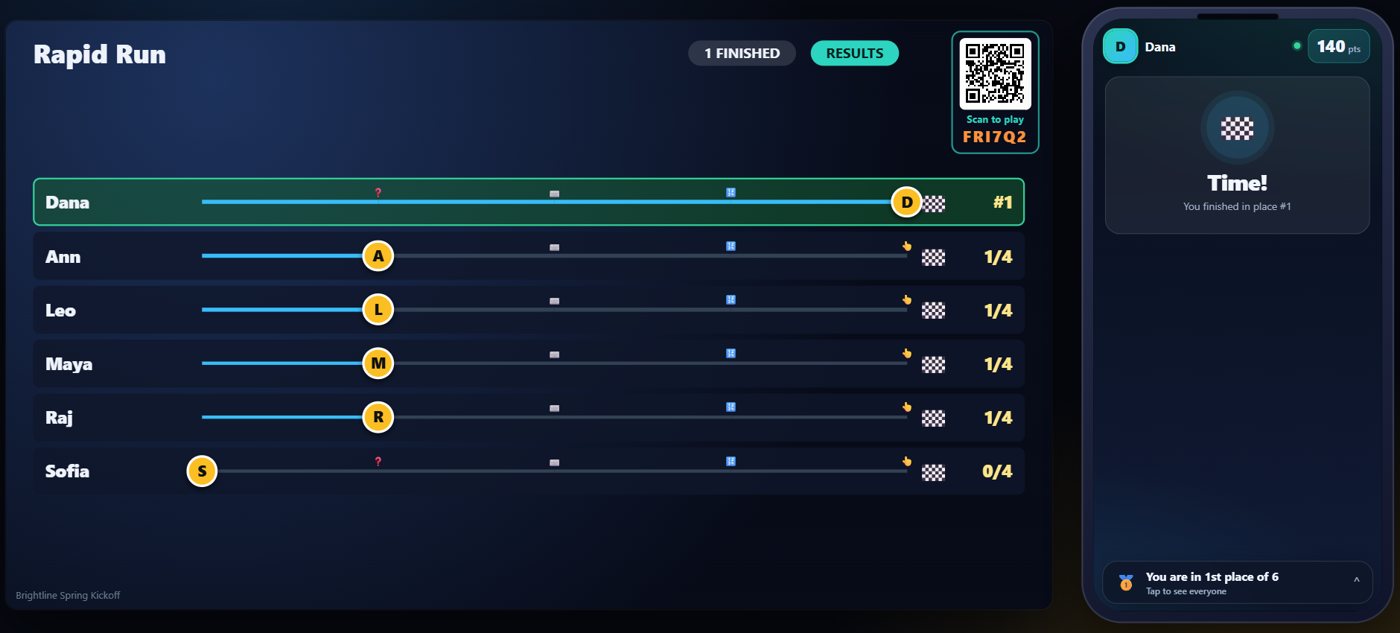
The run ends when a guest finishes the course, or when the clock runs out. The furthest guest wins if nobody finishes. The first to finish earns the biggest bonus.
Your controls on the Live tab
On the Live tab, Start the run starts everyone's clock, and End the run stops now and ranks everybody.
Tip The same keys are on the Host Remote, so you can run Rapid Run from a phone or tablet.
How it ends
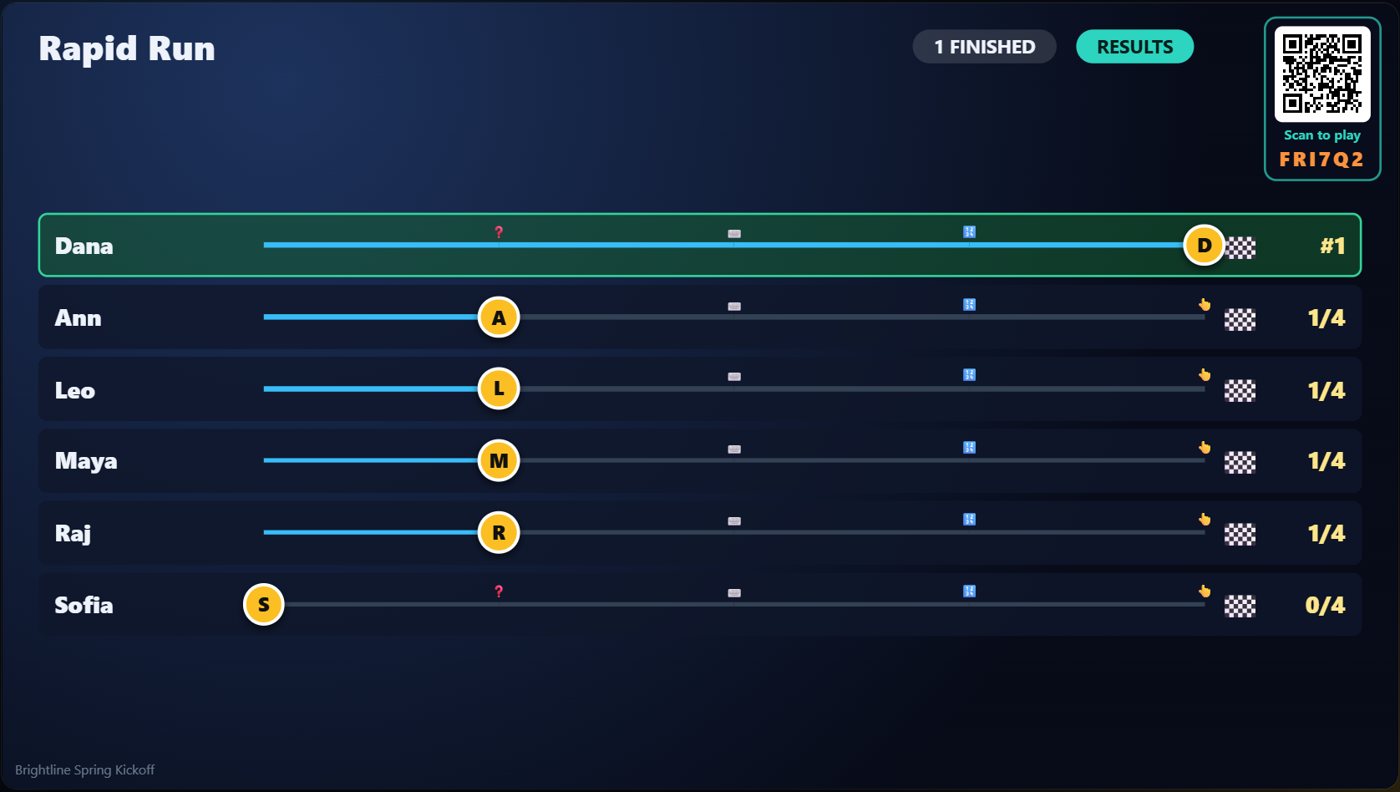
The TV shows every guest's lane and how far they got.
Keep going

Build your show
The Rundown: add, arrange, check and save steps; reserves; defaults for every step.

The Host Remote
Run your show from a phone or tablet: start it, tap any step to see its keys, put it on the TV, and flip in a side game.

Your AI cohosts
Choose and name them, give them a personality, tell them about the show, set how they behave.
Something missing or unclear? Check the FAQ or browse all guides.