
Watch: Take the Offer (2:29) · All videos
What it is
In Take the Offer, one guest plays against the appraiser. They keep one sealed vault, open the rest a few at a time, and after each round decide whether to take a sure offer or keep playing.
Add it to your show
It is one step in your Rundown, like any other game. Add it where you want it to play.
- Open the Rundown tab and press Add.
- Choose Take the Offer from the menu. It joins the end of the list and opens on the right.
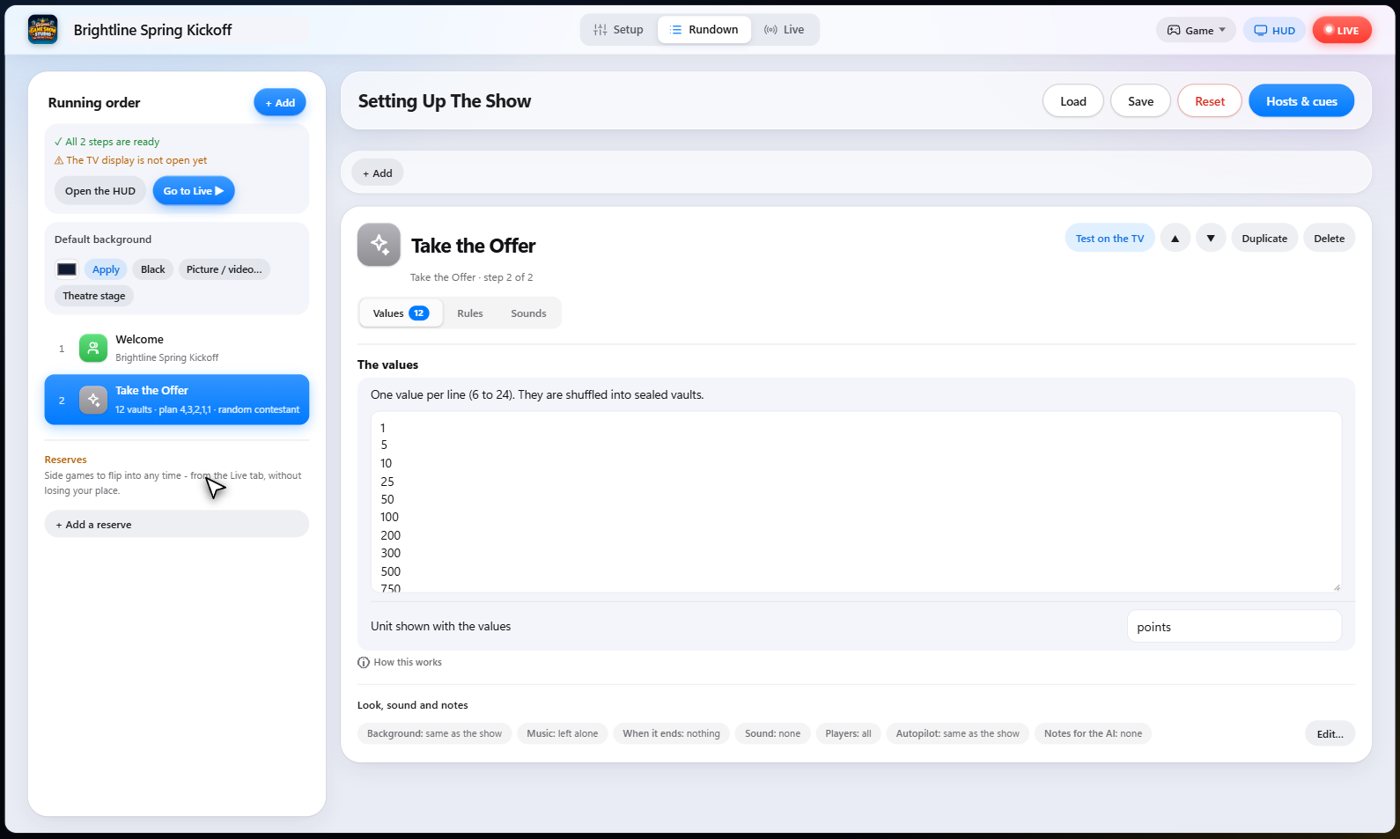
Set it up
The settings hold the values hidden in the vaults, from six to twenty-four, and the plan: how many vaults are opened before each offer.
You can also name the unit, such as points. The appraiser's offers come from the values still unopened.
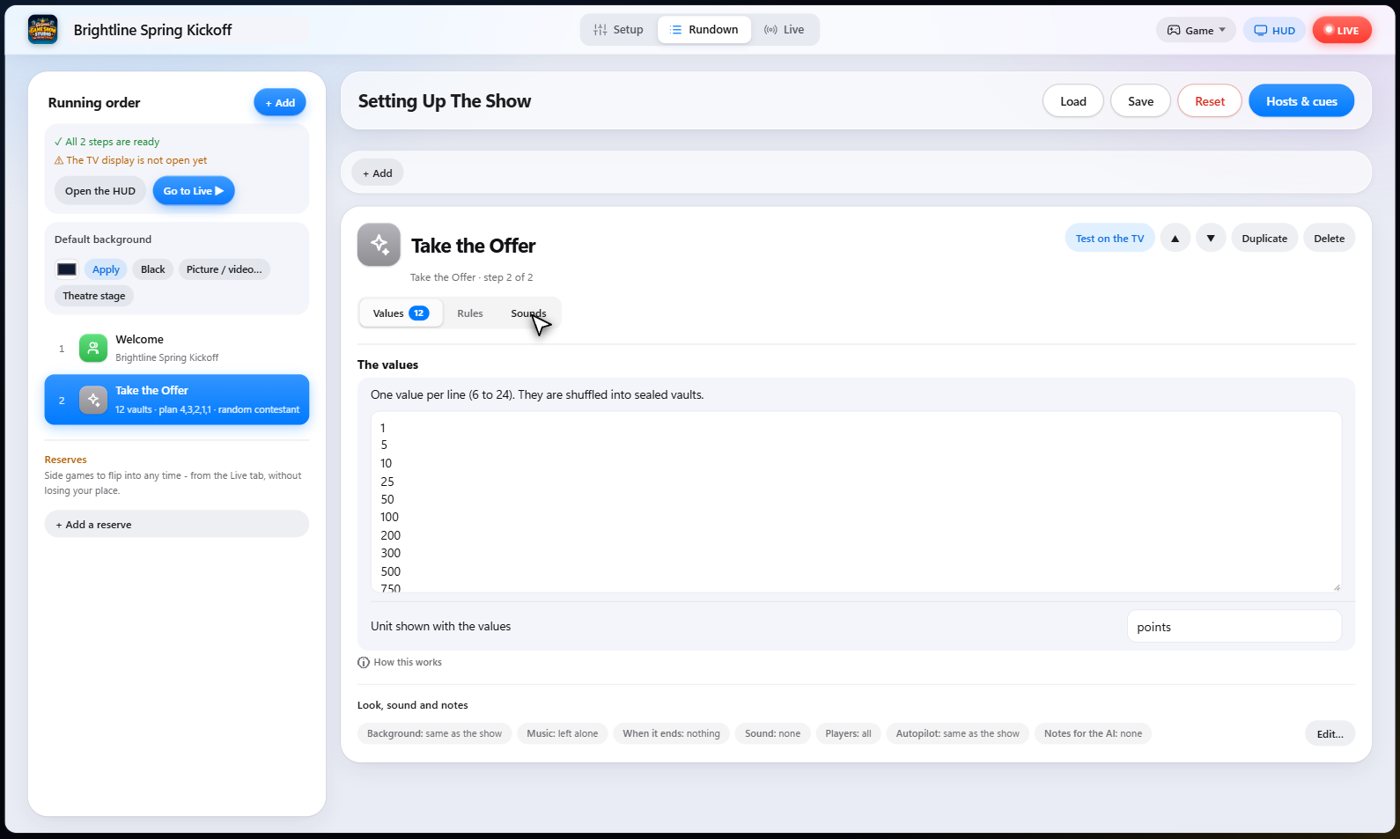
The Sounds tab picks the sound effect for each moment of the game.
Keep one vault
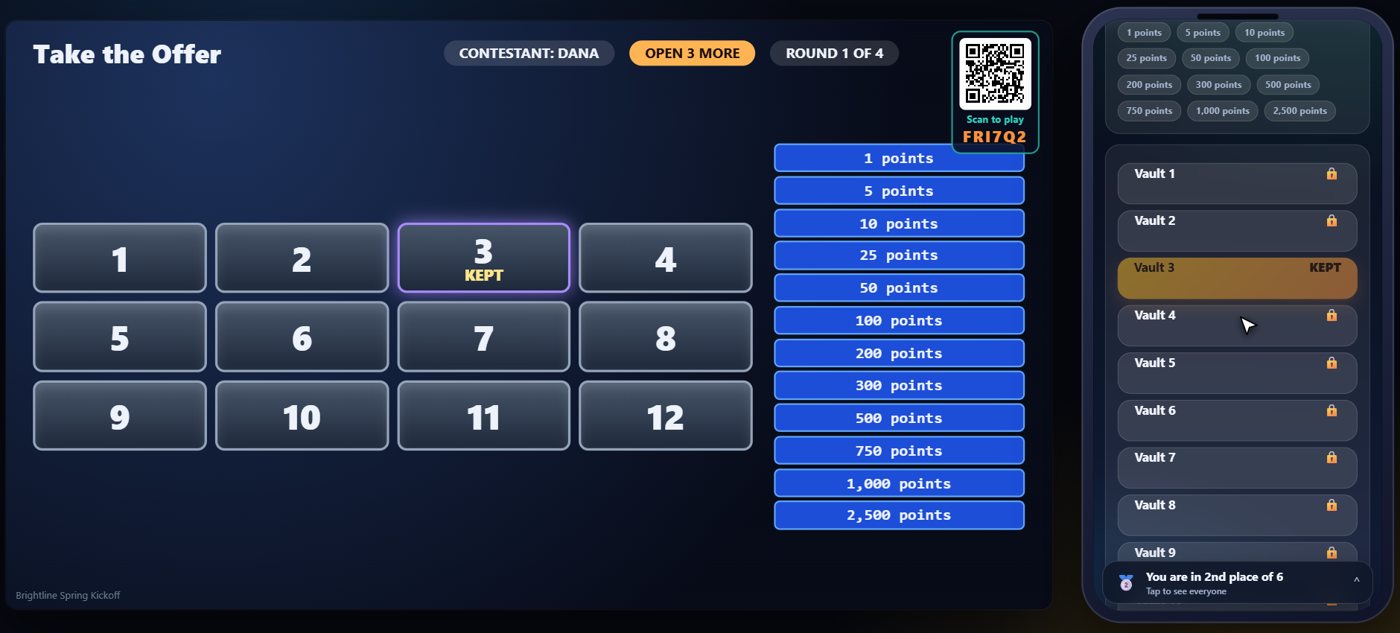
You choose the contestant, here Dana. The TV shows the wall of sealed vaults and the ladder of values. On her phone, the contestant chooses one vault to keep until the end.
Open the vaults
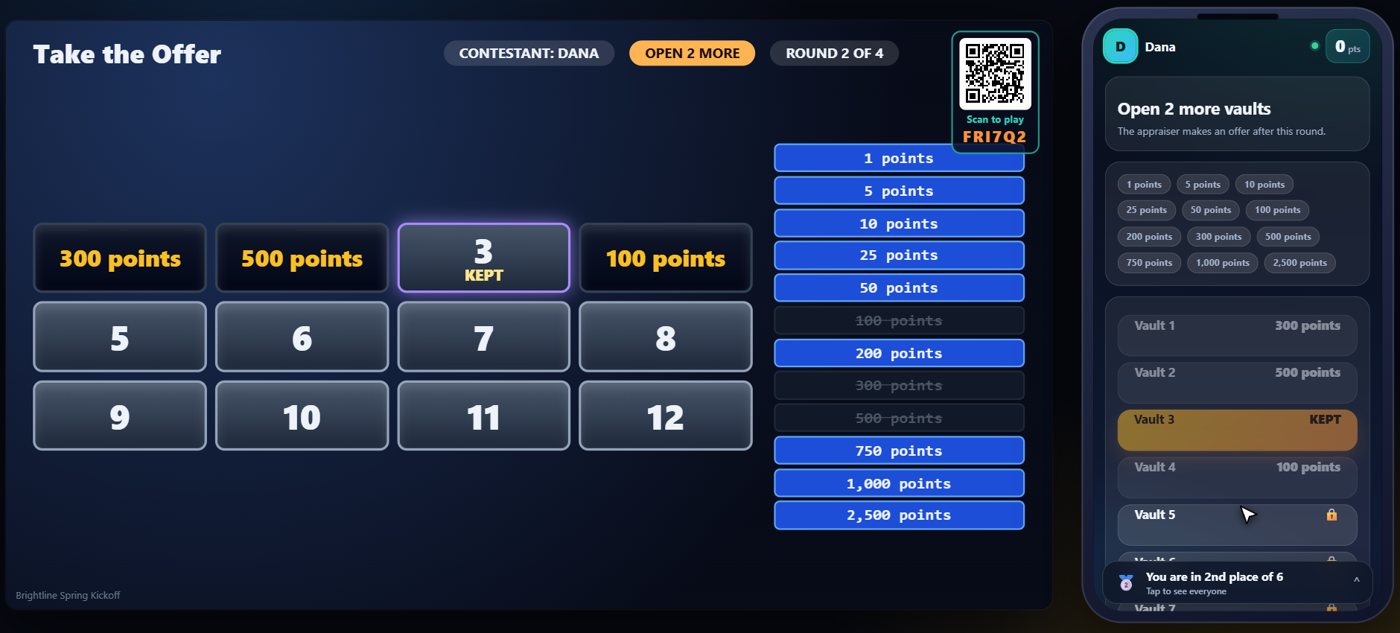
Then the contestant opens vaults, a few at a time. Each value that is revealed is crossed off the ladder, so the contestant can see what is still hidden.
The appraiser's offer
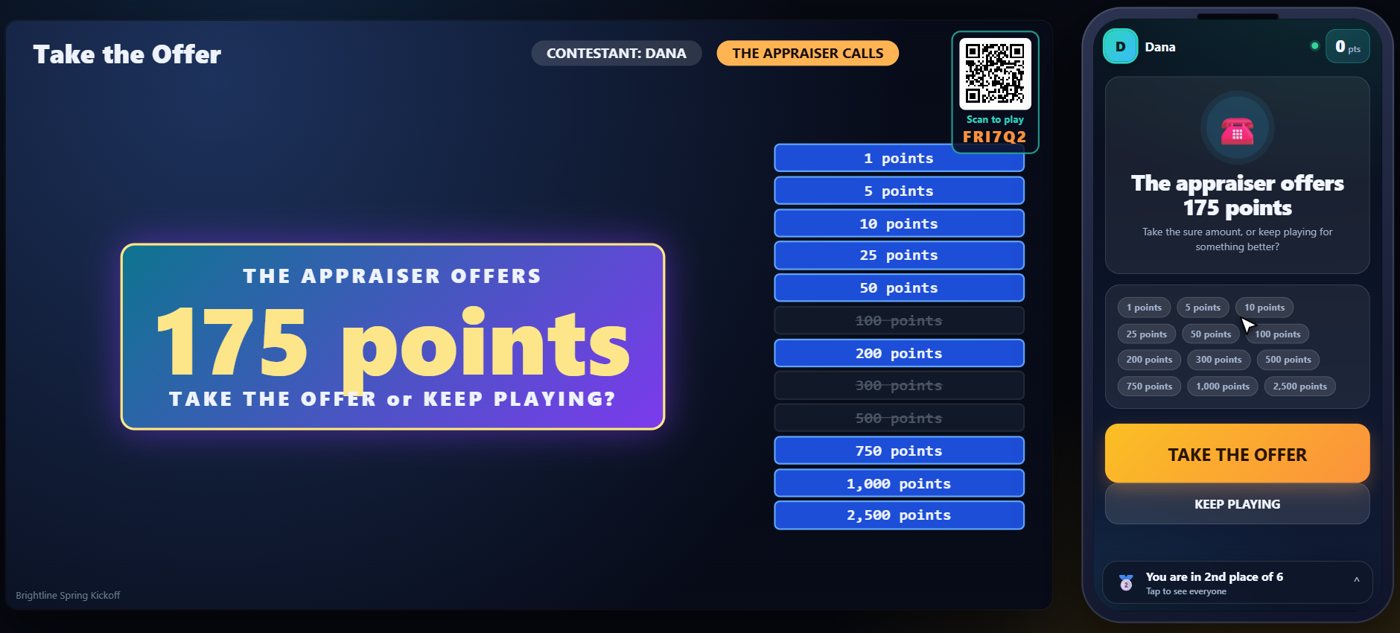
After each round the appraiser makes an offer, based on the values still unopened. Take the offer ends the game with that amount. Keep playing turns it down.
Take it or keep going
If the contestant never takes an offer, they win the value in their own vault. The TV keeps the ladder of values, with each opened value crossed out, so the room can follow along. Here the contestant opens two more vaults, and then takes the next offer, which is worked out from the values still unopened.
Your controls on the Live tab
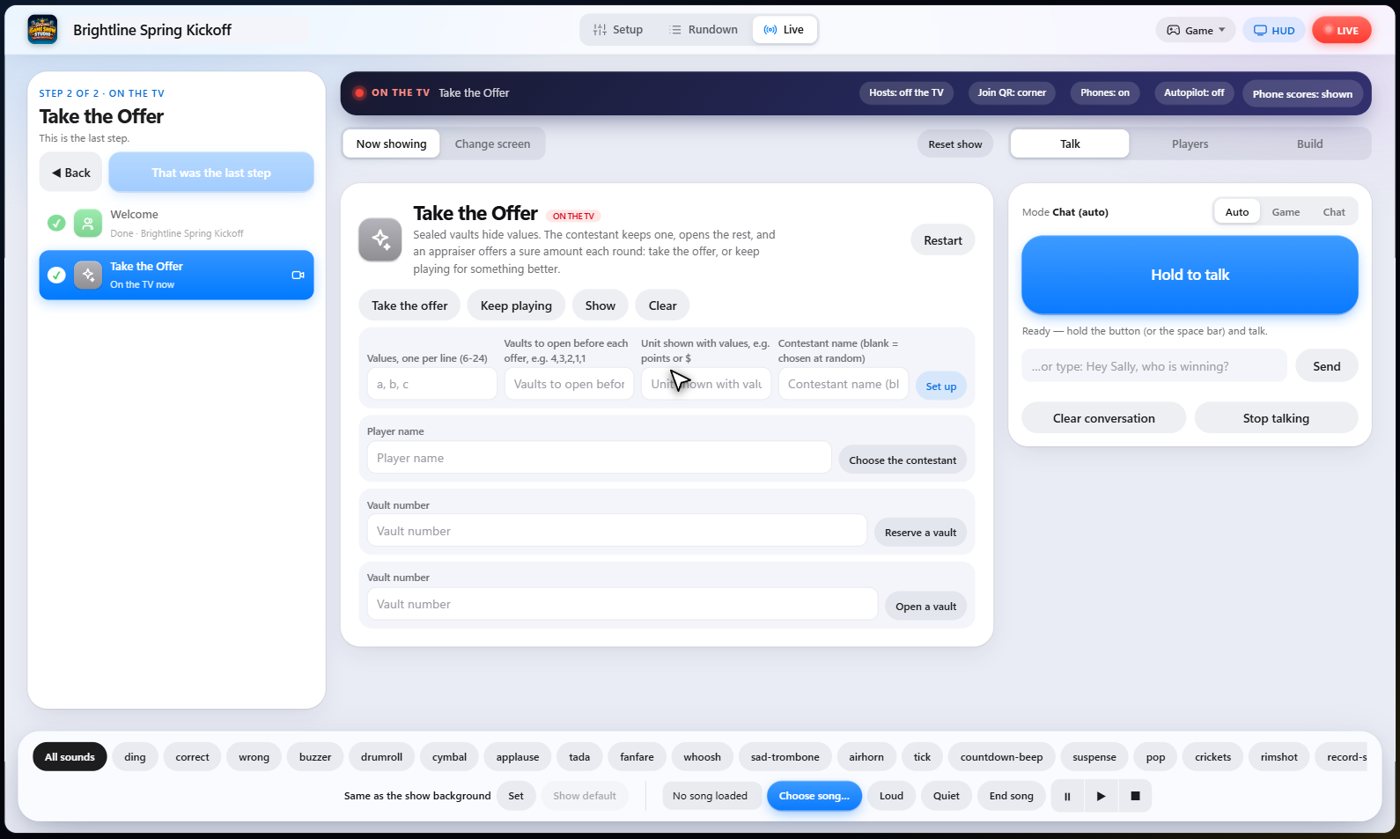
On the Live tab, Choose the contestant picks who plays, and Reserve a vault, Open a vault, Take the offer and Keep playing do whatever the contestant's phone can do, so you can run the whole game yourself.
Tip The same keys are on the Host Remote, so you can run Take the Offer from a phone or tablet.
How it ends
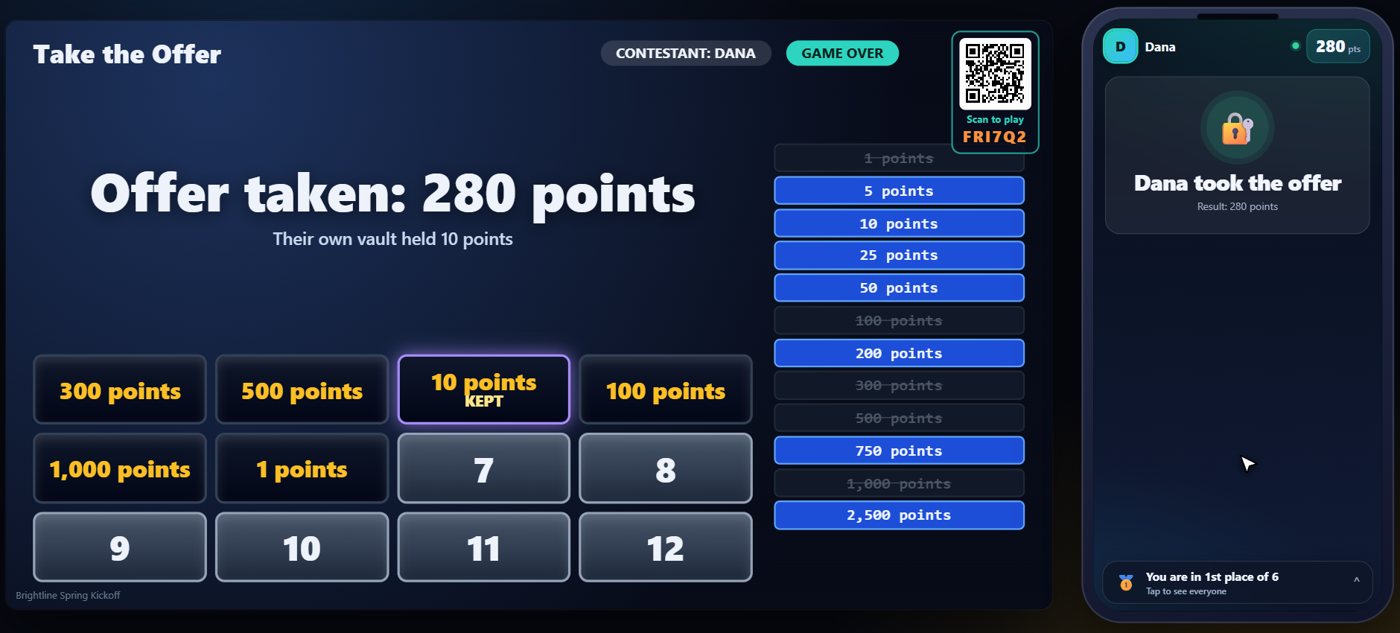
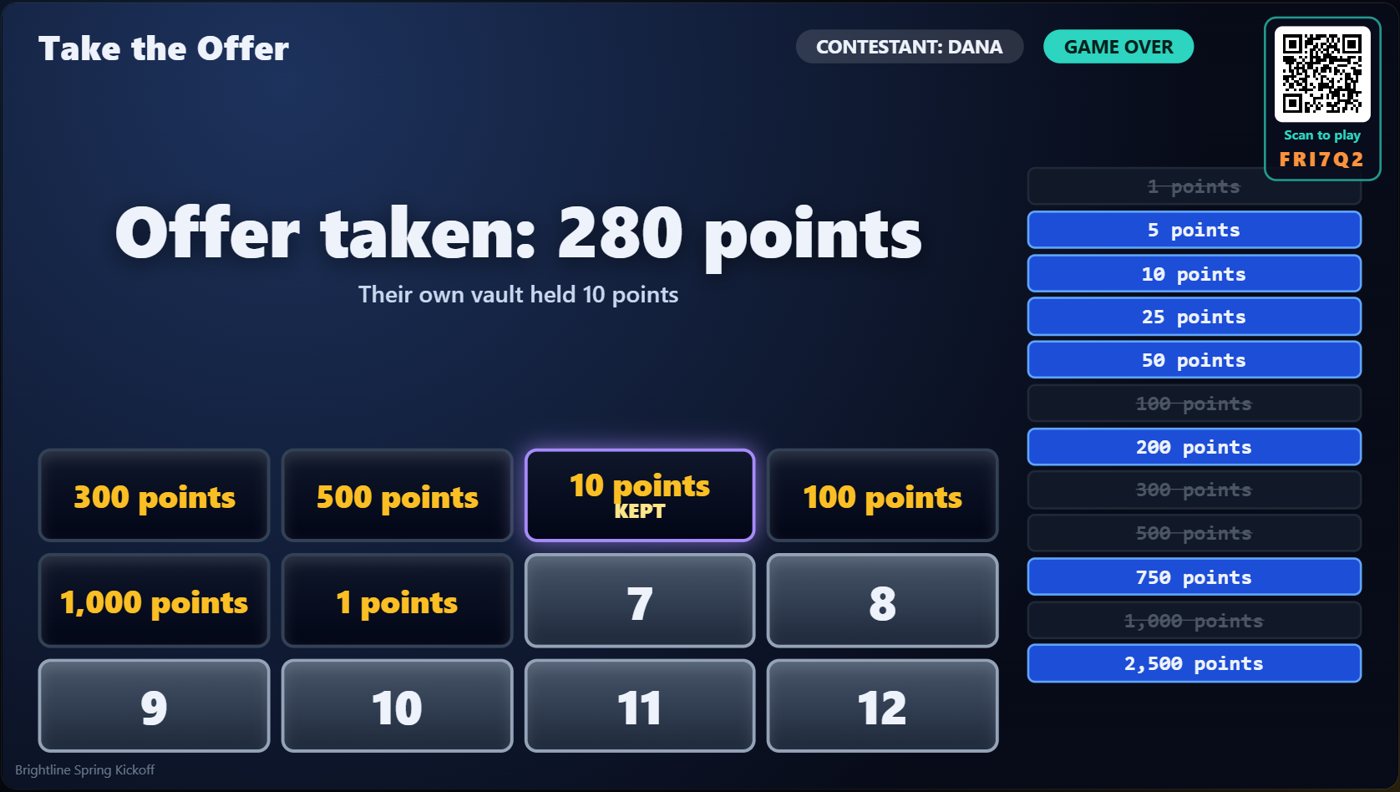
The TV shows the amount the contestant won, added to their score.
Keep going

Build your show
The Rundown: add, arrange, check and save steps; reserves; defaults for every step.

The Host Remote
Run your show from a phone or tablet: start it, tap any step to see its keys, put it on the TV, and flip in a side game.

Your AI cohosts
Choose and name them, give them a personality, tell them about the show, set how they behave.
Something missing or unclear? Check the FAQ or browse all guides.