
Watch: Answer First (2:37) · All videos
What it is
Answer First is a clue board with categories and rising values. The player in control picks a tile, everyone races to buzz in, and the fastest types the answer.
Add it to your show
It is one step in your Rundown, like any other game. Add it where you want it to play.
- Open the Rundown tab and press Add.
- Choose Answer First from the menu. It joins the end of the list and opens on the right.
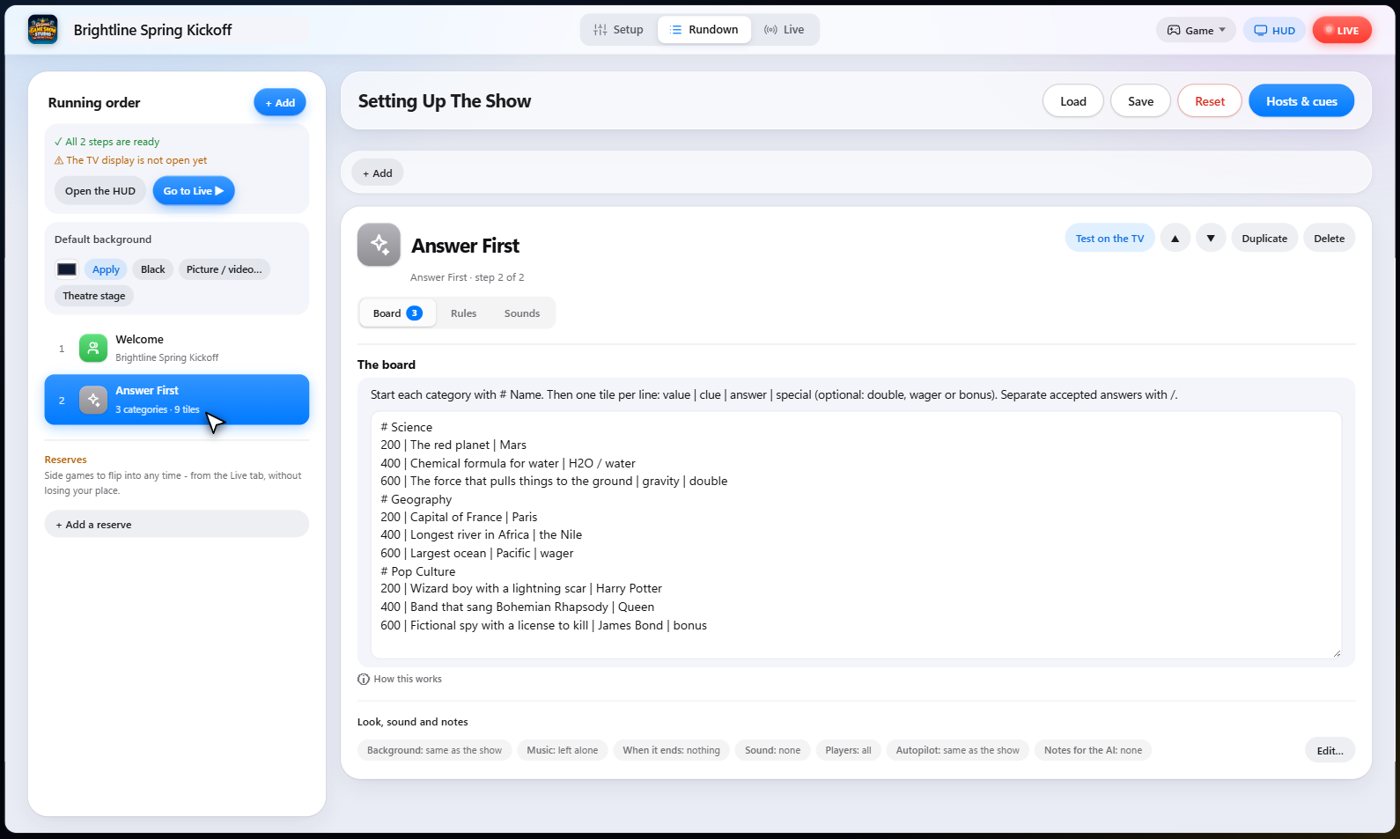
Set it up
The settings hold your board. Write each category after a hash mark, then one tile per line: the value, the clue, and the answer. Separate accepted answers with a slash.
Add double, wager or bonus to a tile to make it special. Choose whether a wrong answer costs points, and how long guests have to buzz and to type.
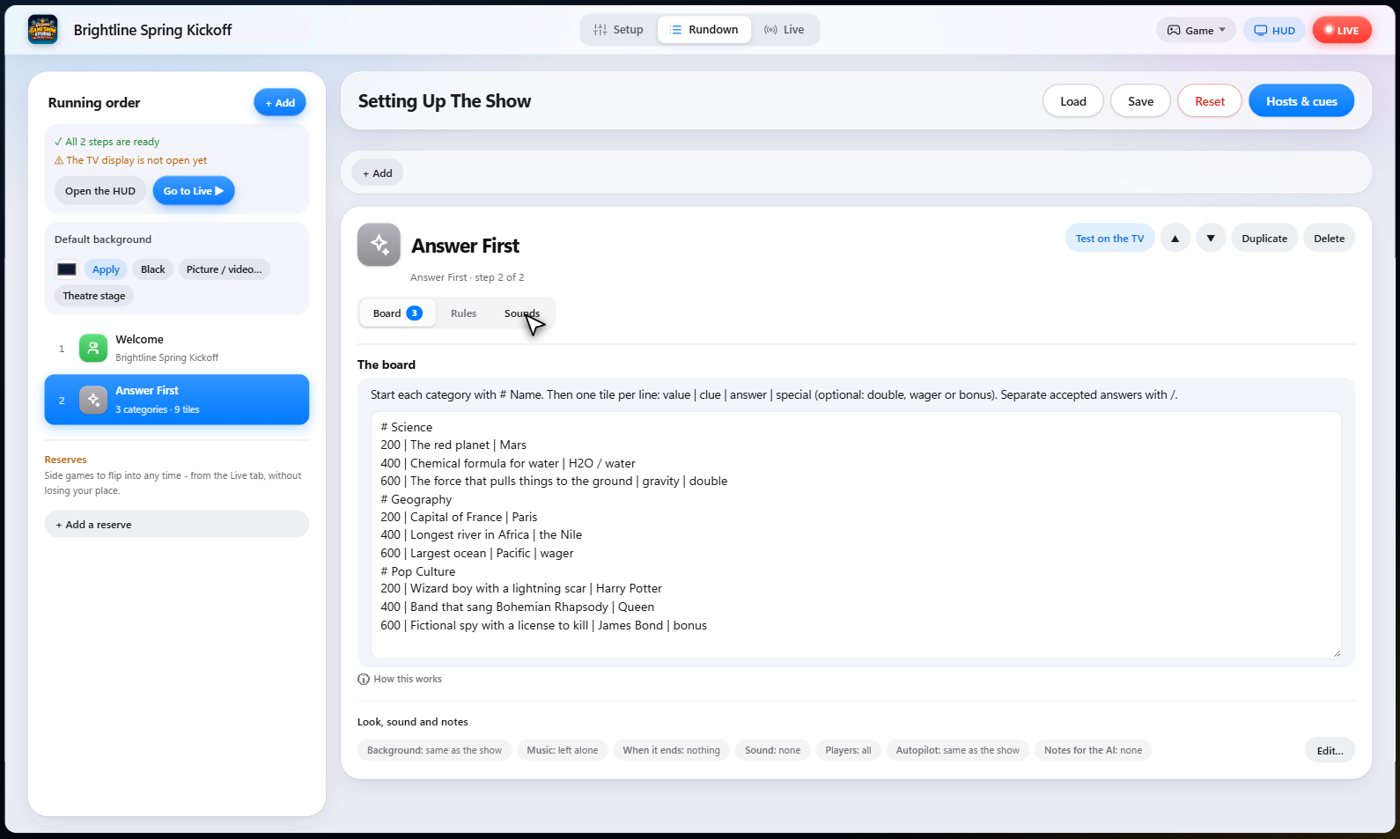
The Sounds tab picks the sound effect for each moment of the game.
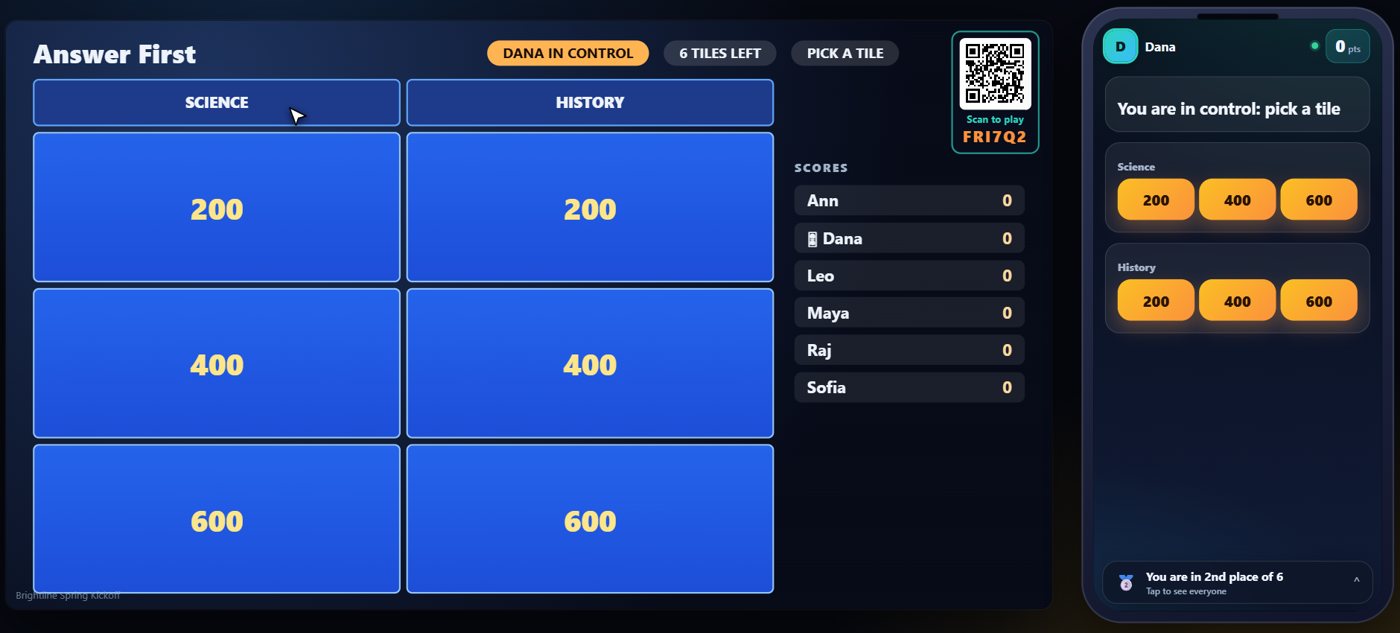
The board
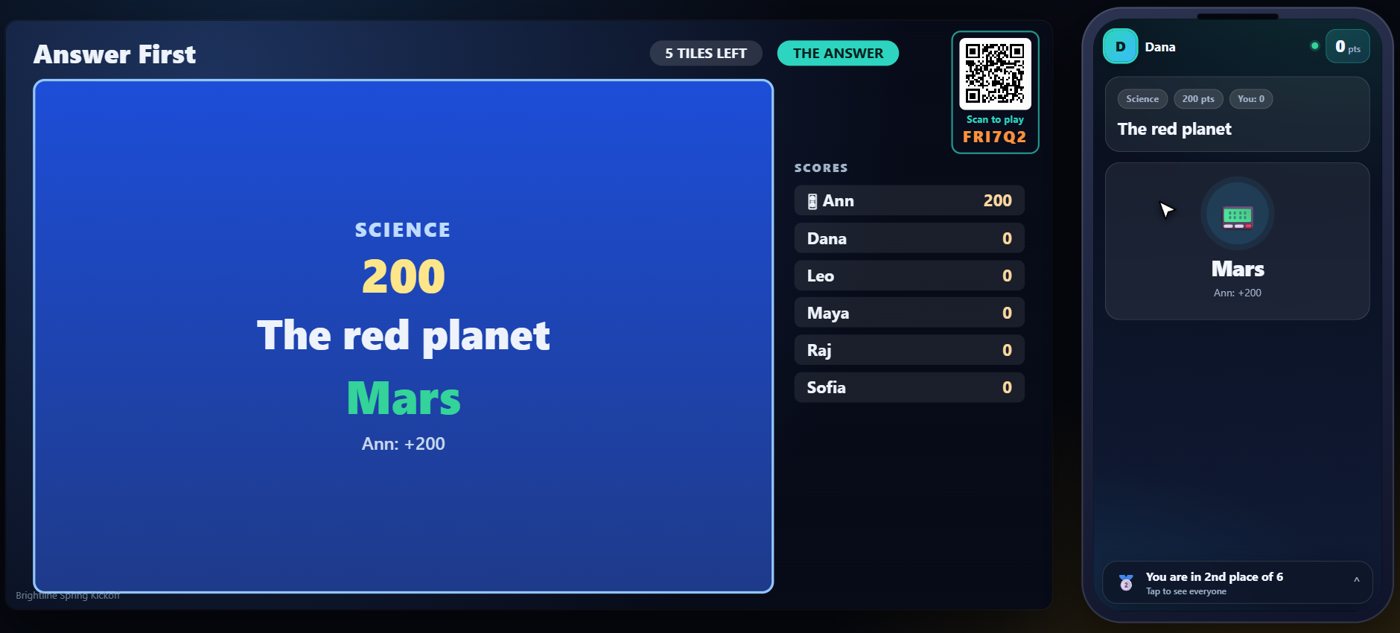
The TV shows the board, with a column for each category and a tile for each value. One guest is in control of the board, and their phone shows the tiles. Here that is Dana.
Pick a tile and buzz in
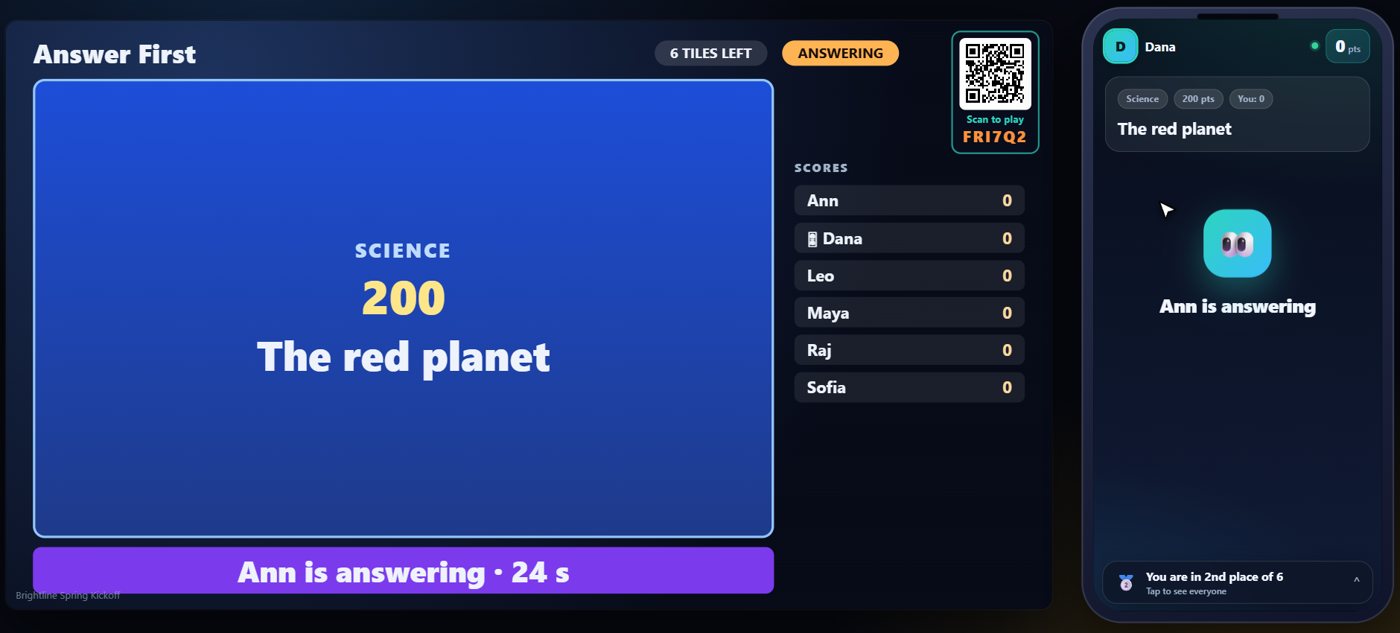
The player in control taps a tile, and the clue goes up on the TV. Everyone else races to buzz in on their phone. The fastest buzzer gets to answer.
Type the answer
The TV shows the clue and who has buzzed. Guests who buzz later join the line, and get their turn if the first guest is wrong. The first guest to buzz types the answer on their phone, and the answer is checked for them. It ignores capital letters and small spelling slips. A right answer wins the tile's value and takes control of the board. A wrong answer loses the value, and the next buzzer answers.
Your controls on the Live tab
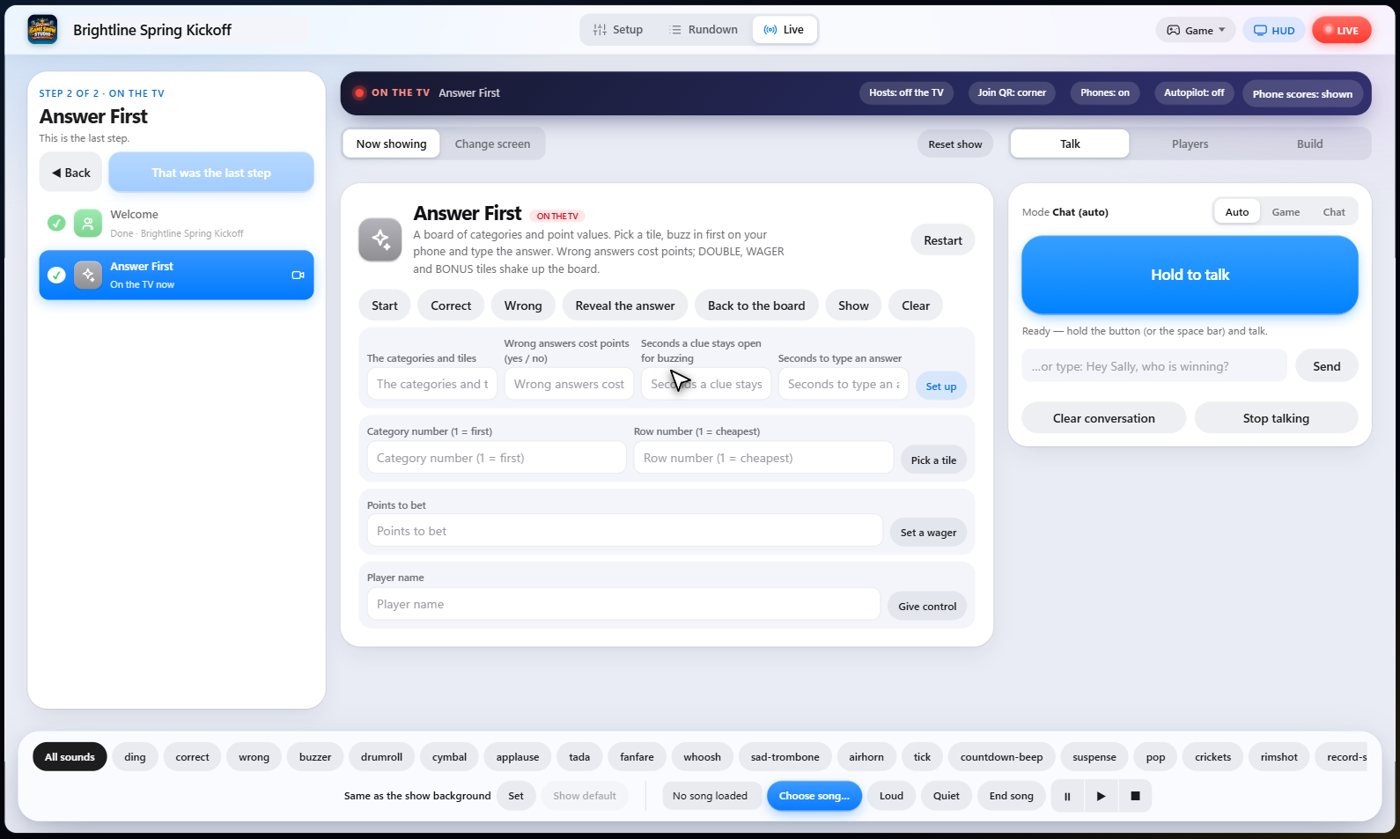
On the Live tab, Start begins the game, Pick a tile and Set a wager work for the player in control, Give control hands the board to someone, Correct and Wrong let you judge a spoken answer, Reveal the answer closes a clue, and Back to the board returns to the tiles.
Tip The same keys are on the Host Remote, so you can run Answer First from a phone or tablet.
How it ends
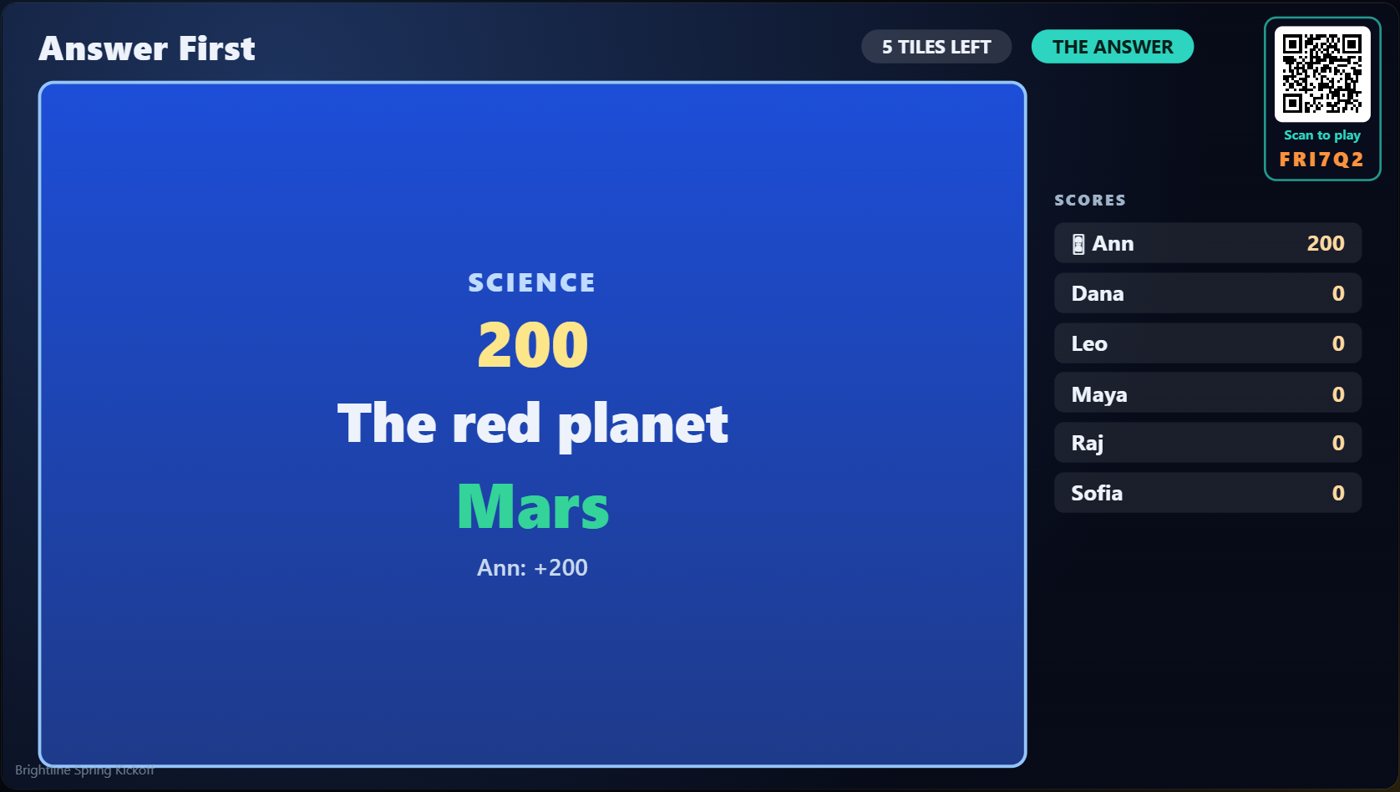
The TV shows the board with the used tile cleared, and the scores.
Keep going

Build your show
The Rundown: add, arrange, check and save steps; reserves; defaults for every step.

The Host Remote
Run your show from a phone or tablet: start it, tap any step to see its keys, put it on the TV, and flip in a side game.

Your AI cohosts
Choose and name them, give them a personality, tell them about the show, set how they behave.
Something missing or unclear? Check the FAQ or browse all guides.