
Watch: Crossword Clash (2:17) · All videos
What it is
In Crossword Clash, teams take turns answering clues to fill a crossword. Every word uncovers part of a master answer that a team can gamble on.
Add it to your show
It is one step in your Rundown, like any other game. Add it where you want it to play.
- Open the Rundown tab and press Add.
- Choose Crossword Clash from the menu. It joins the end of the list and opens on the right.
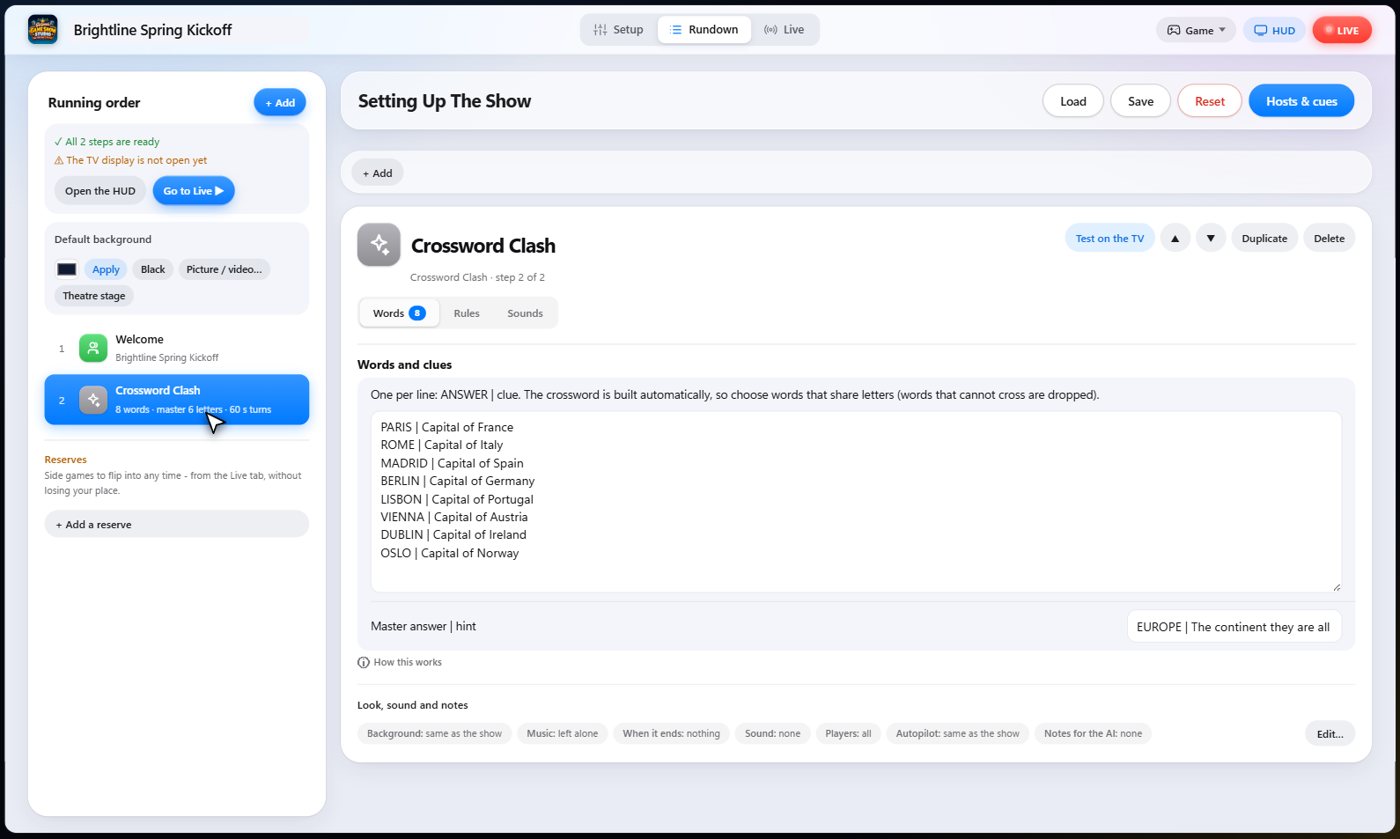
Set it up
The settings hold your words, one per line: the answer, a bar, and its clue. The grid is built for you from words that share letters.
Type a master answer with a hint. Choose the points for each letter, what a right master answer pays, what a wrong try costs, and the turn timer.
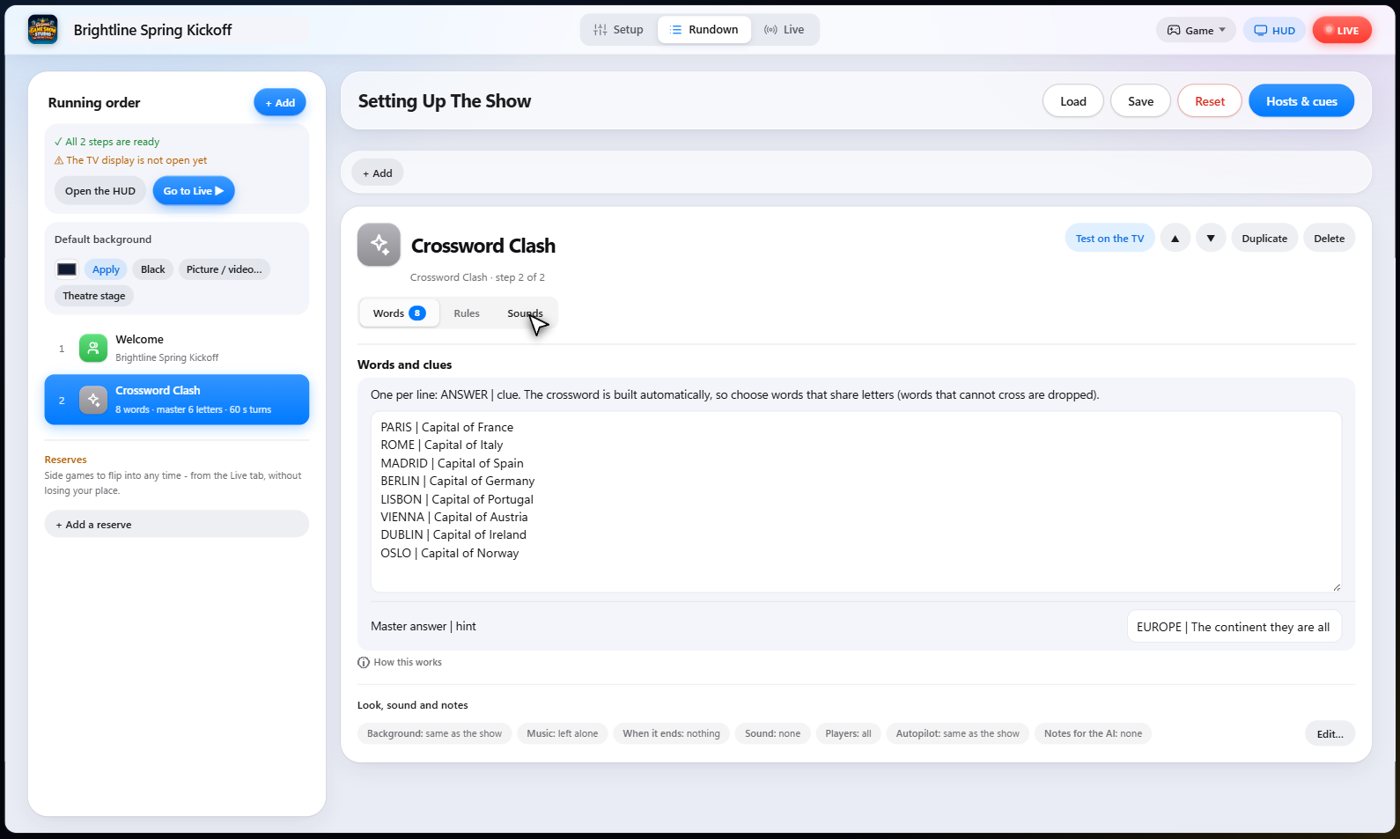
The Sounds tab picks the sound effect for each moment of the game.
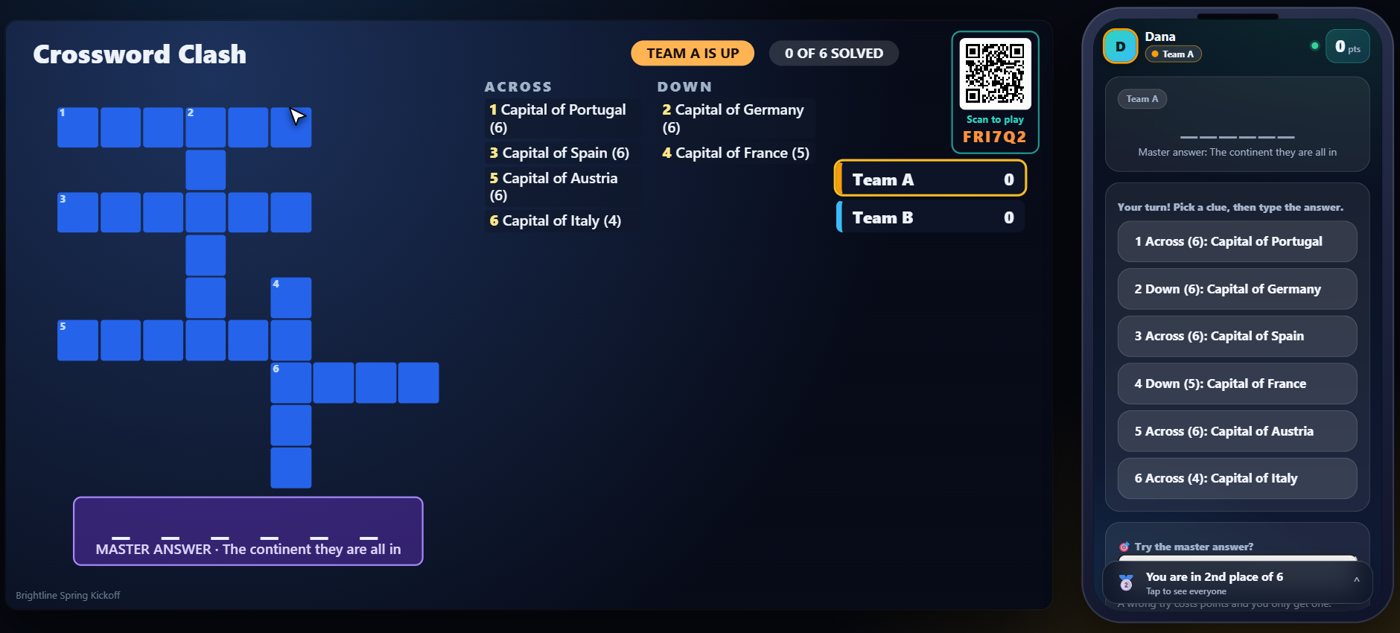
The grid and the clues
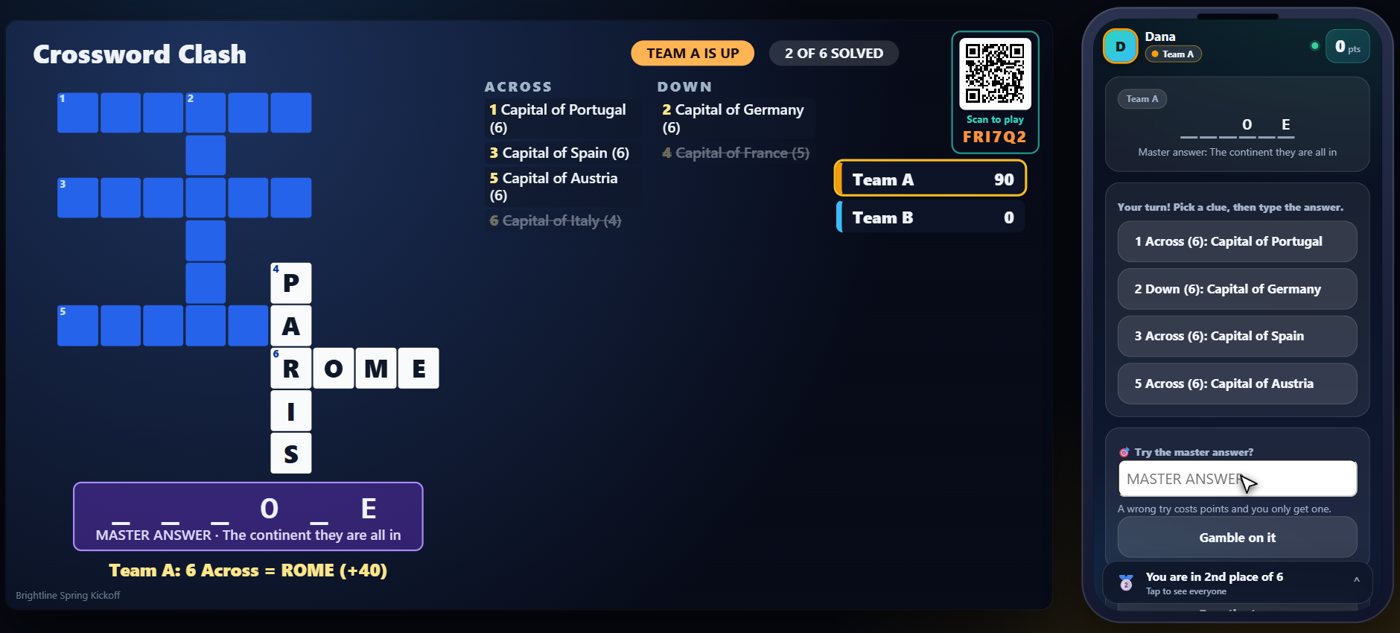
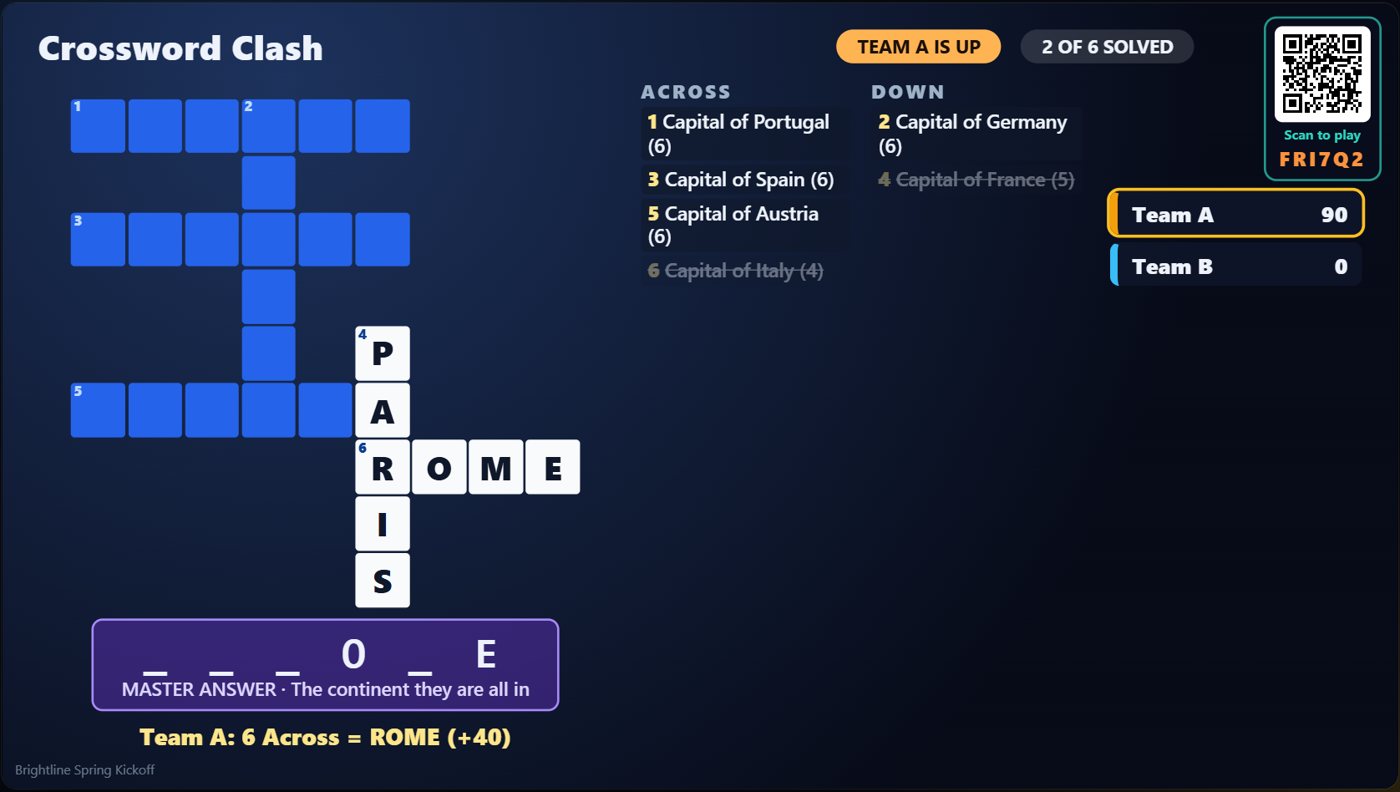
The TV shows the crossword, the across and down clues, a row of blanks for the master answer, and each team's score. The team that is up is highlighted.
Pick a clue and answer
On a team's turn, a player taps a clue on their phone, types the answer, and submits it. A right answer fills the word into the grid, scores for each letter, and the team keeps the turn.
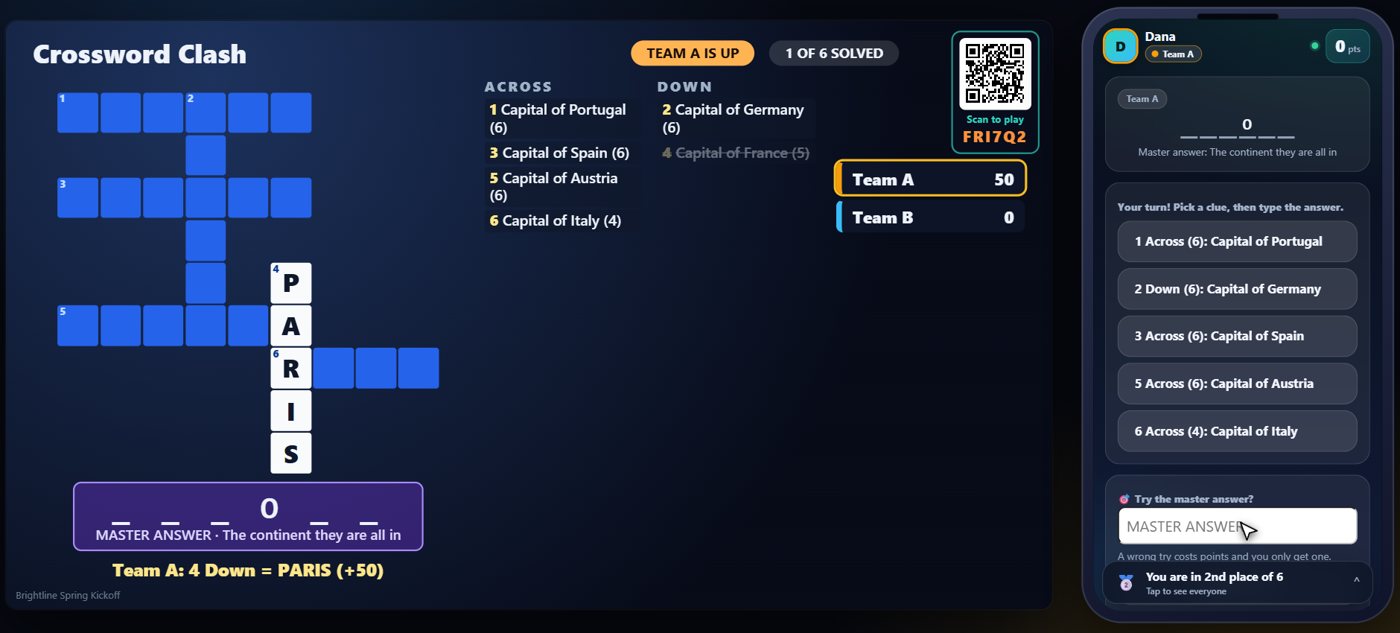
The master answer
Each solved word uncovers some of the master answer on the TV. A team can try for it at any time. The earlier it is right, the more it scores, and a wrong try costs points, so choose your moment. A wrong answer or a pass moves the turn to the next team.
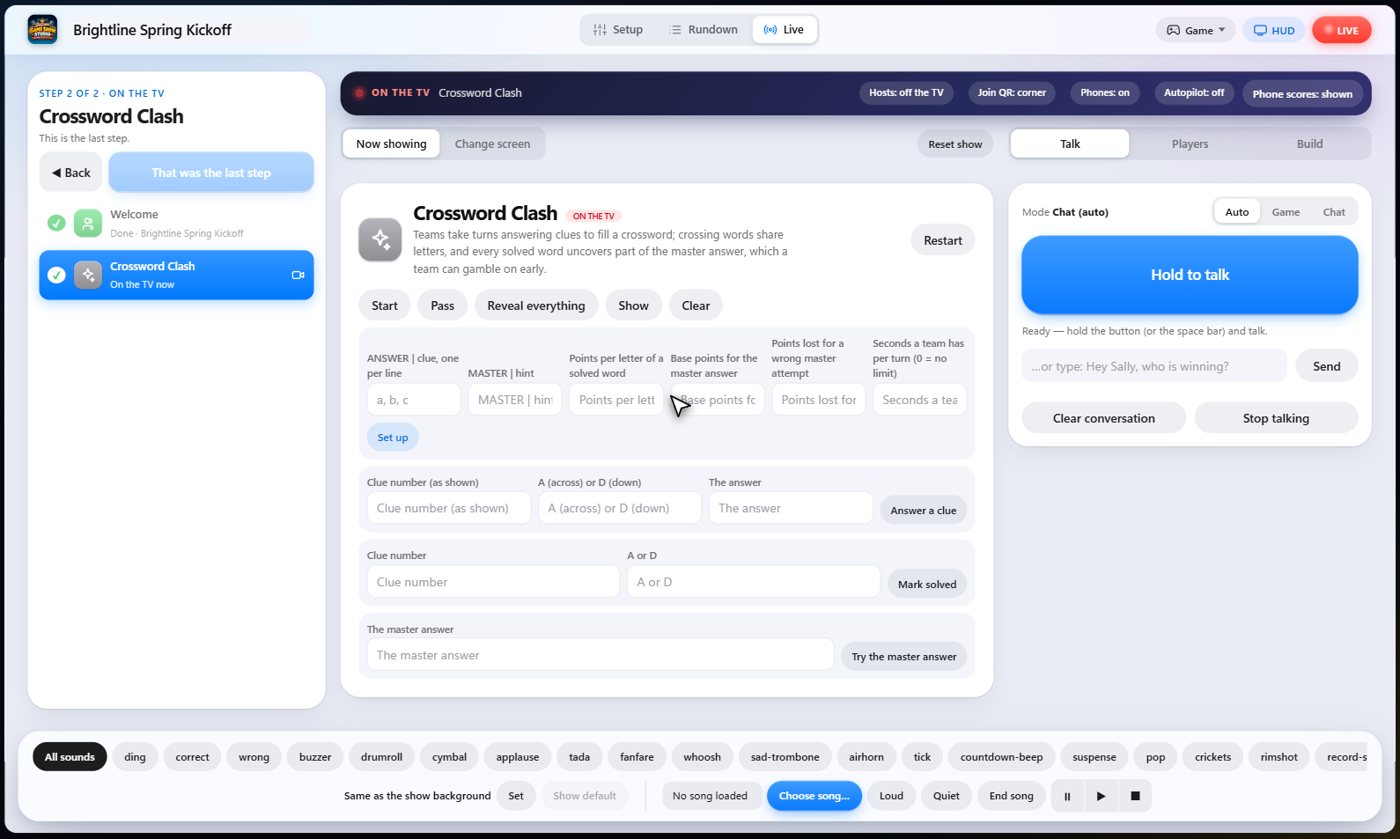
Your controls on the Live tab
On the Live tab, Start begins the game, Answer a clue and Mark solved play a clue for the team that is up, Try the master answer tries it for them, Pass moves to the next team, and Reveal everything ends the game and shows every answer.
Tip The same keys are on the Host Remote, so you can run Crossword Clash from a phone or tablet.
How it ends
The TV shows the grid with the solved words filled in, and the part of the master answer uncovered so far.
Keep going

Build your show
The Rundown: add, arrange, check and save steps; reserves; defaults for every step.

The Host Remote
Run your show from a phone or tablet: start it, tap any step to see its keys, put it on the TV, and flip in a side game.

Your AI cohosts
Choose and name them, give them a personality, tell them about the show, set how they behave.
Something missing or unclear? Check the FAQ or browse all guides.