
Watch: The Scoreboard (3:40) · All videos
Add teams
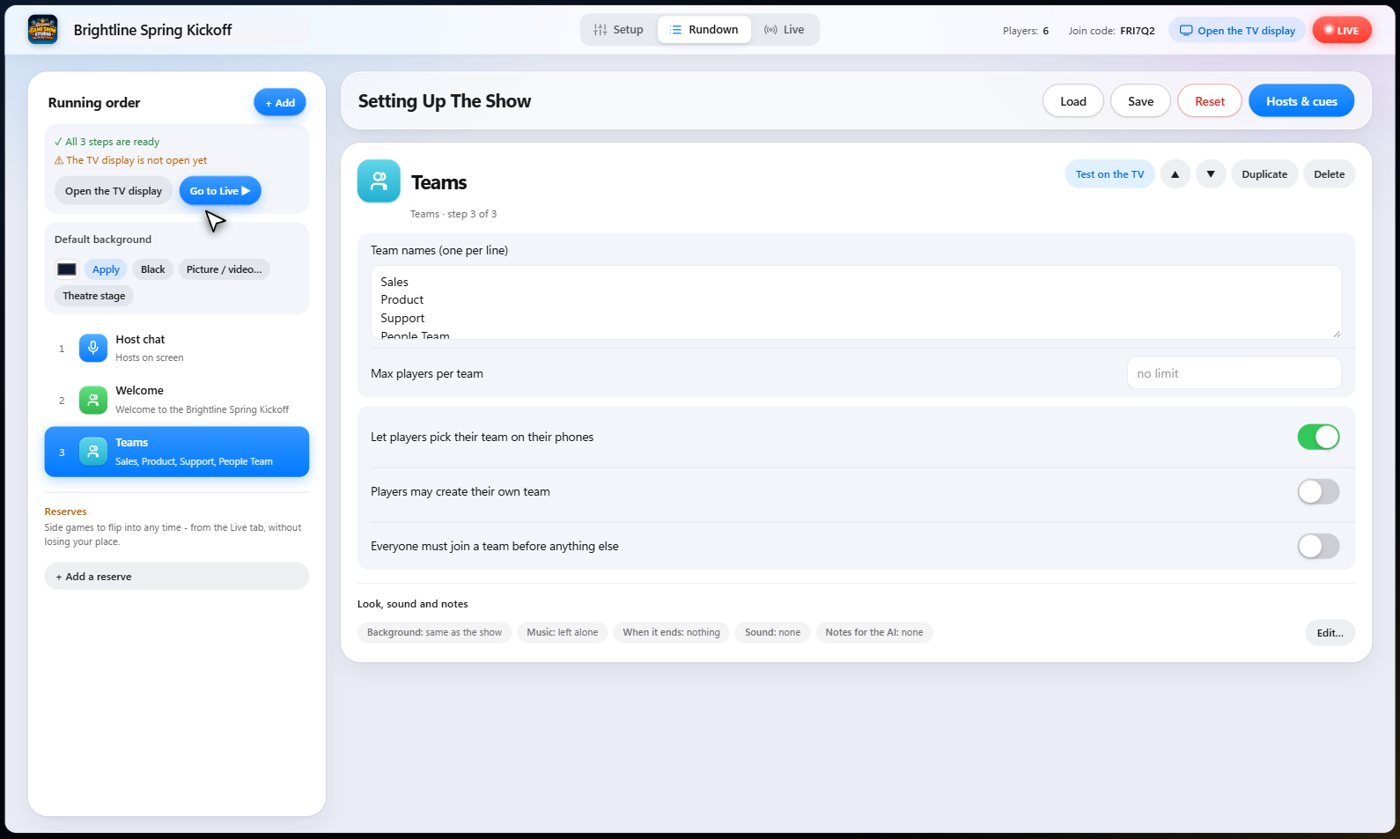
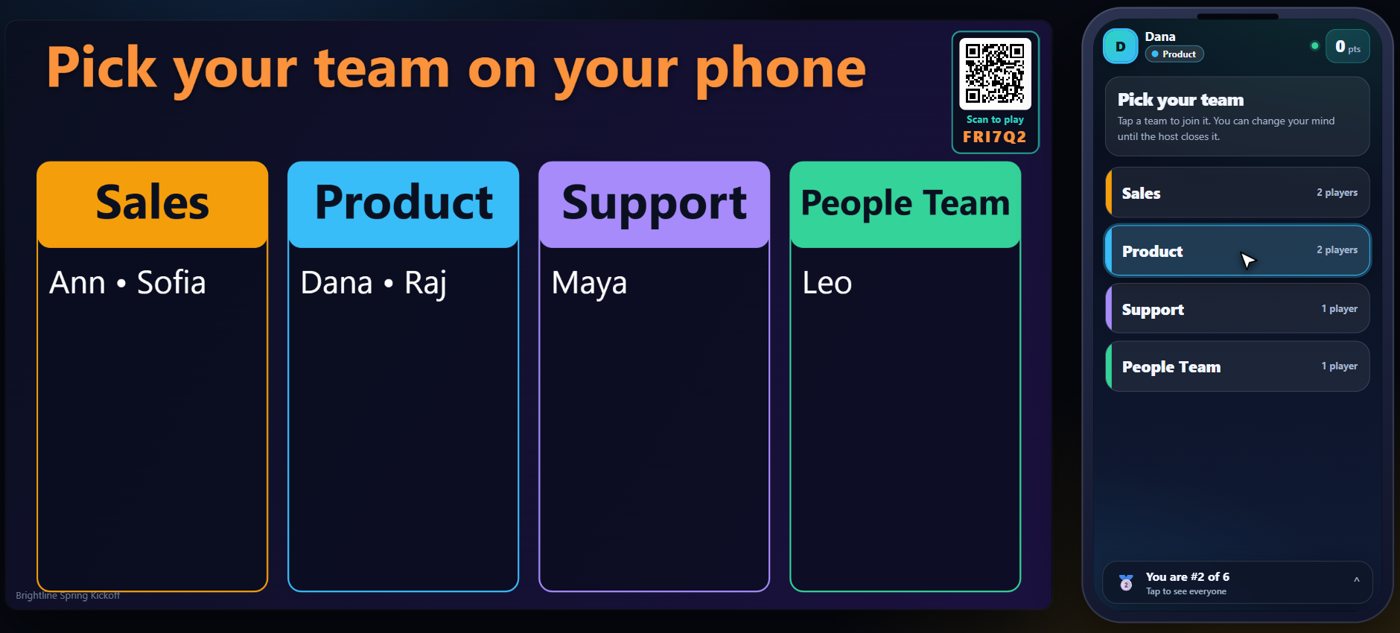
Add a Teams step and list the team names, one per line. Guests pick theirs on their phones, and the TV shows who has joined. You can also deal everyone out evenly, or assign players by hand.
Guests pick a team
The TV shows the teams and who has joined each one, while each guest picks on their phone.
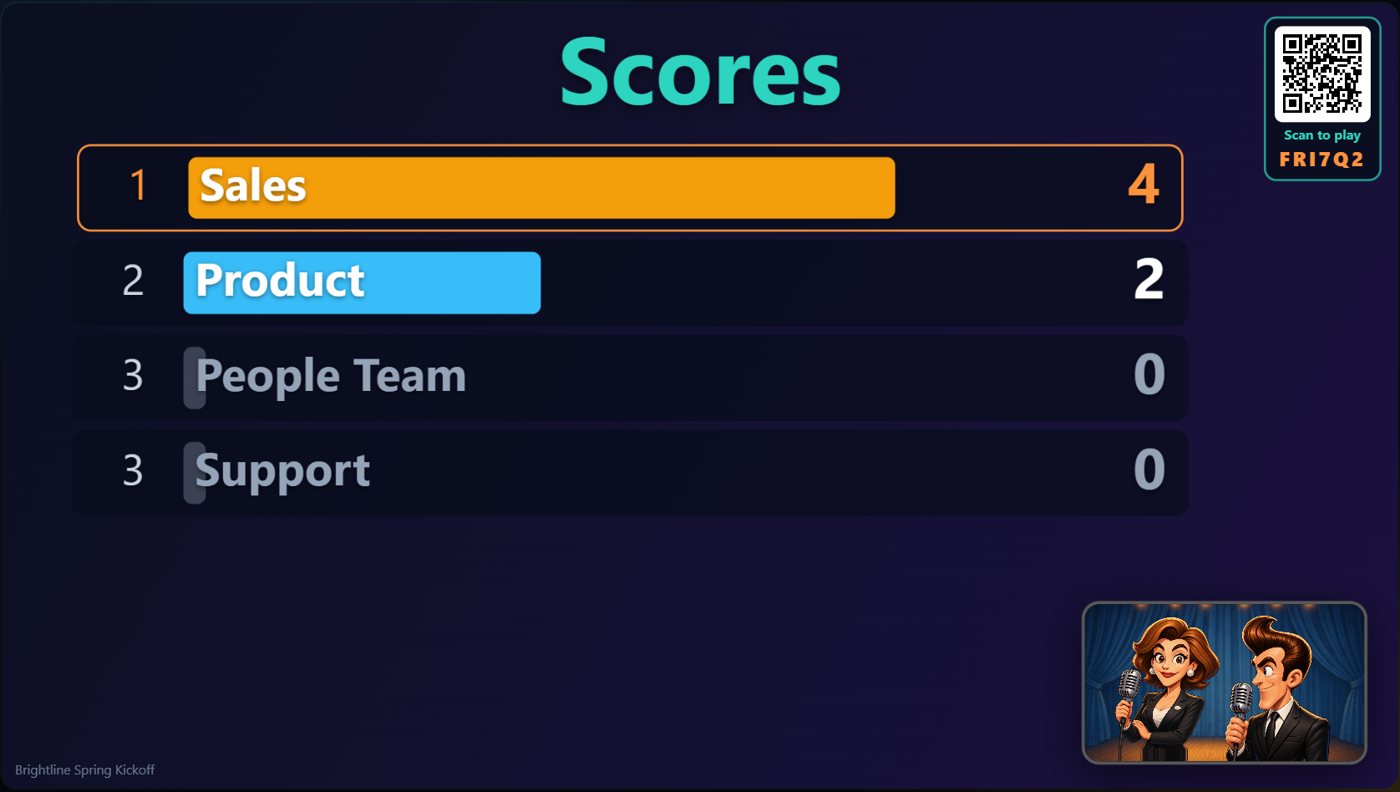
Points
Every game that scores has a points setting in its Rundown step, and it starts at 0. Leave it there and add points by hand, or set points per game, per trivia question, or for the first or every bingo winner. You can adjust any score at any time.
Show the scores
Add a Scoreboard step, or ask a cohost to show the scores. Teammates share a team score, and players also have their own totals.
Open the phones to some players
On the Live tab, the purple bar has a Phones menu: On (every phone can play), Limit, or Off (every phone parked on a waiting screen). Limit opens a window where you choose who can play: pick players or whole teams, or choose a step you have already played and tick its winners. Everyone else sees Standby on their phone, their presses do not count, and the games do not wait for them to answer. A player who joins while the phones are limited starts on standby.
- On the Live tab, open Phones in the purple bar and choose Limit.
- Choose Pick players or teams, or Winners of a step already played.
- Tick the players (a step's winners are listed with their points; Top scorer only ticks the best).
- Press Open the phones to N players. Choose On when you want everyone back.
Tip The limit stays until you change it, so set Phones back to On when the round is over. The bar shows how many phones are open.
Set who can play each step
Every step has a Player limiter in its settings (the Edit button under Look, sound and notes). All players is the default: every phone can play, and any limit set earlier ends when the step starts. Winners of a previous step opens the step only to the players who scored points in the step you choose (everyone who scored, or just the top scorer or scorers); if nobody scored there, every phone stays open. Prompt host before the step starts opens the same Limit window as you press Next in a live show, so you choose the players then; closing the window leaves the step unstarted.
- Open the step in the Rundown and press Edit under Look, sound and notes.
- Under Player limiter, choose All players, Winners of a previous step (and the step), or Prompt host before the step starts.
Tip The Players chip on the step shows what you chose.
Narrow the field with the Player funnel
Add a Player funnel step to keep only the players or teams still in the running, round after round. Choose everyone, the top number of slots, or the top percent (taken from the scores when the step starts), and whether the TV shows their scores. Teams and players on no team count together, like the scoreboard. A game step set to Use Player Funnel then lets only the players still in the funnel take part: the others see Please wait on their phones.
- Add a Player funnel step and choose how many slots, or leave it on Everyone.
- On the Live tab, the In Funnel tab lists who is still in and the Eliminated tab lists who is out. One click takes someone out or puts them back.
- Take Top X Scores opens a window: keep the top number of players or teams, or the top percent. Funnel Reset puts everyone back.
- In the Rundown, open a game step, and under Player limiter set Use Player Funnel to Yes. On the Live tab the same switch sits at the top of the game.
Tip The funnel only changes who can play. It never changes anyone's score. A step that does not use the funnel lets everyone play again.
Finish with the winners
End the night with the winners step: the top places on a podium, with confetti, music and applause, and the cohosts to announce it.
Keep going


Something missing or unclear? Check the FAQ or browse all guides.