
Watch: Crowd Percent (2:10) · All videos
What it is
Crowd Percent asks how many people said yes to a survey question. Every guest guesses the percentage on their phone, and the closest guesses score the most.
Add it to your show
It is one step in your Rundown, like any other game. Add it where you want it to play.
- Open the Rundown tab and press Add.
- Choose Crowd Percent from the menu. It joins the end of the list and opens on the right.
Set it up
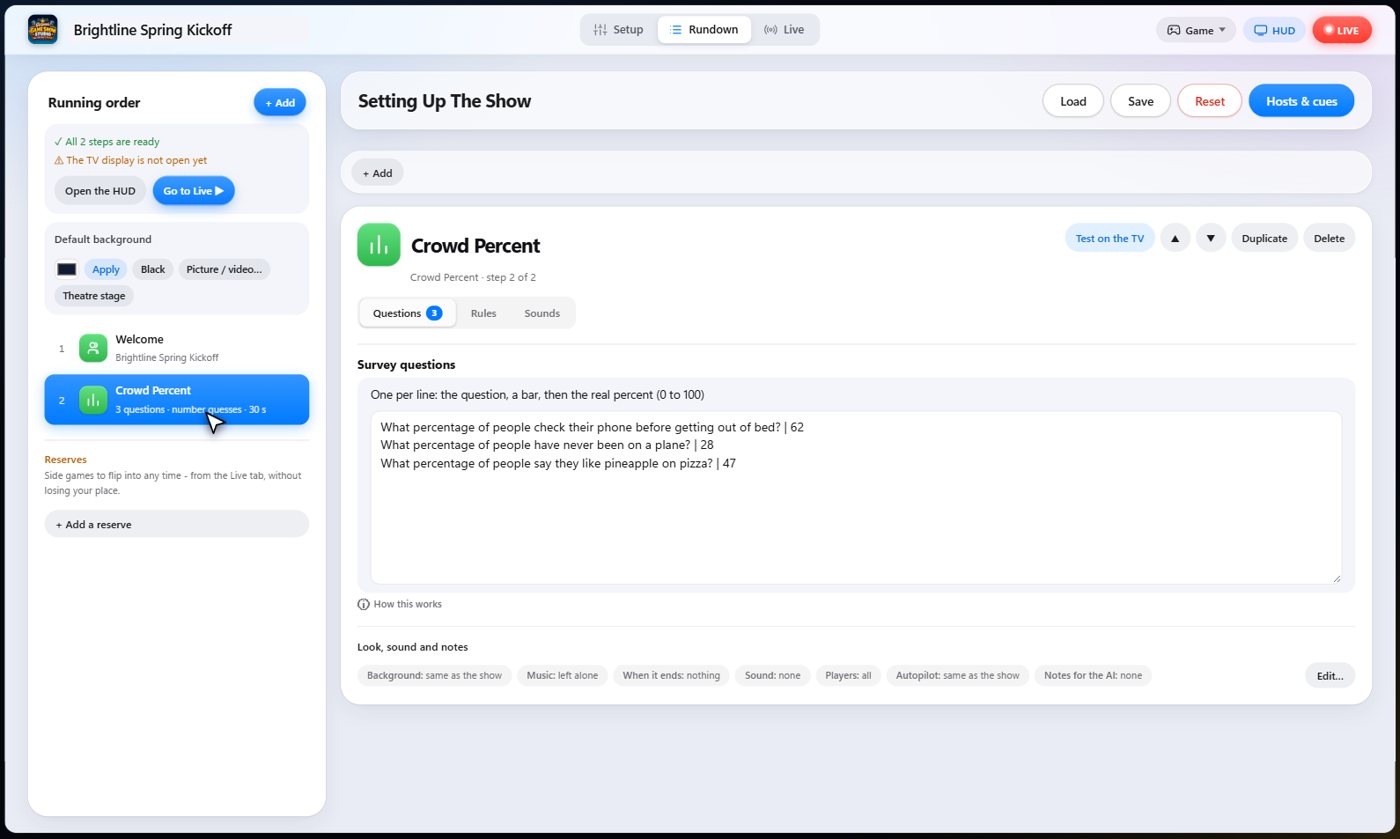
The settings hold your questions, one per line, with the real percentage after a bar. Add range and a number to ask guests for a range instead of one number, or live to let the room vote first and use their own answer.
Choose how the guesses score, the most points for one question, and an optional guess timer.
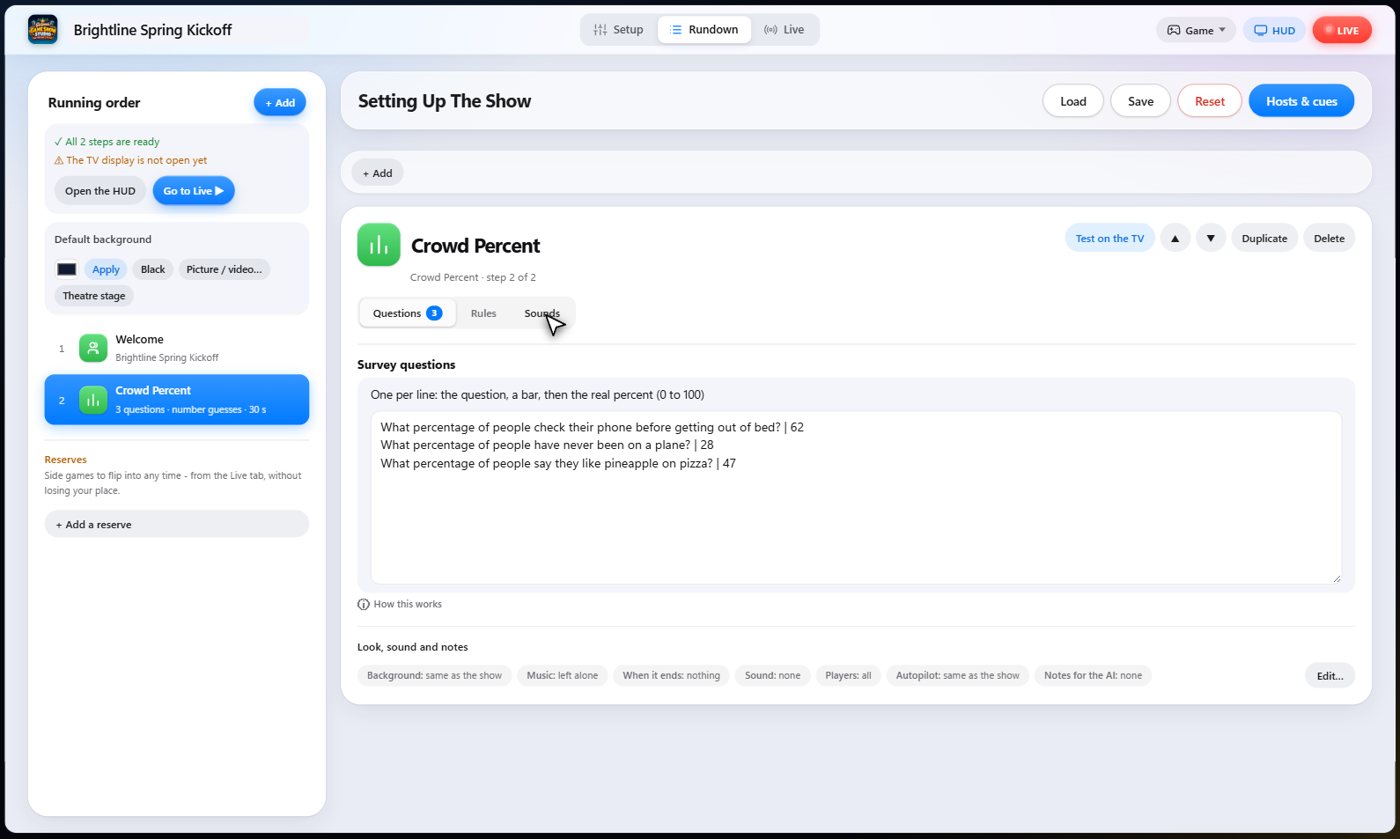
The Sounds tab picks the sound effect for each moment of the game.
The question goes up
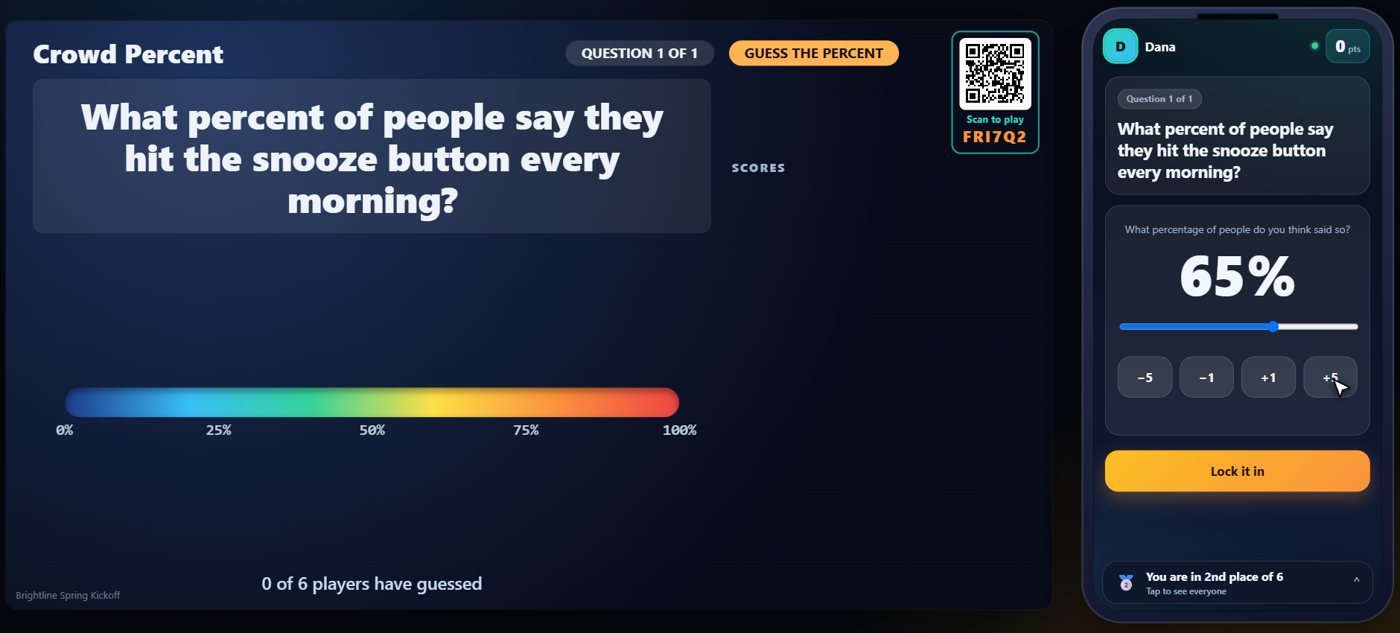
The question goes up on the TV and on every phone. Each guest slides to the percentage they think said yes, or uses the plus and minus buttons, then taps Lock it in.
Everyone locks in a guess
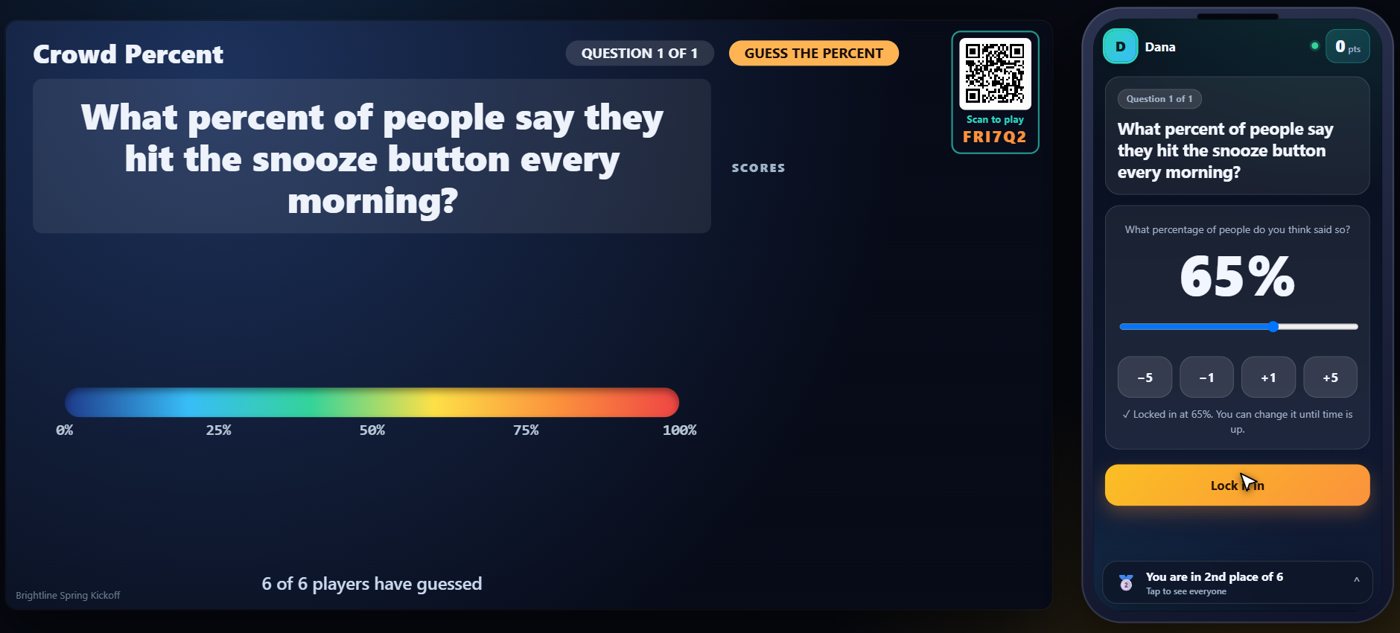
A guess can be changed until time is up. When the guest is happy, they lock it in, and the TV counts how many guests have answered.
The real percentage
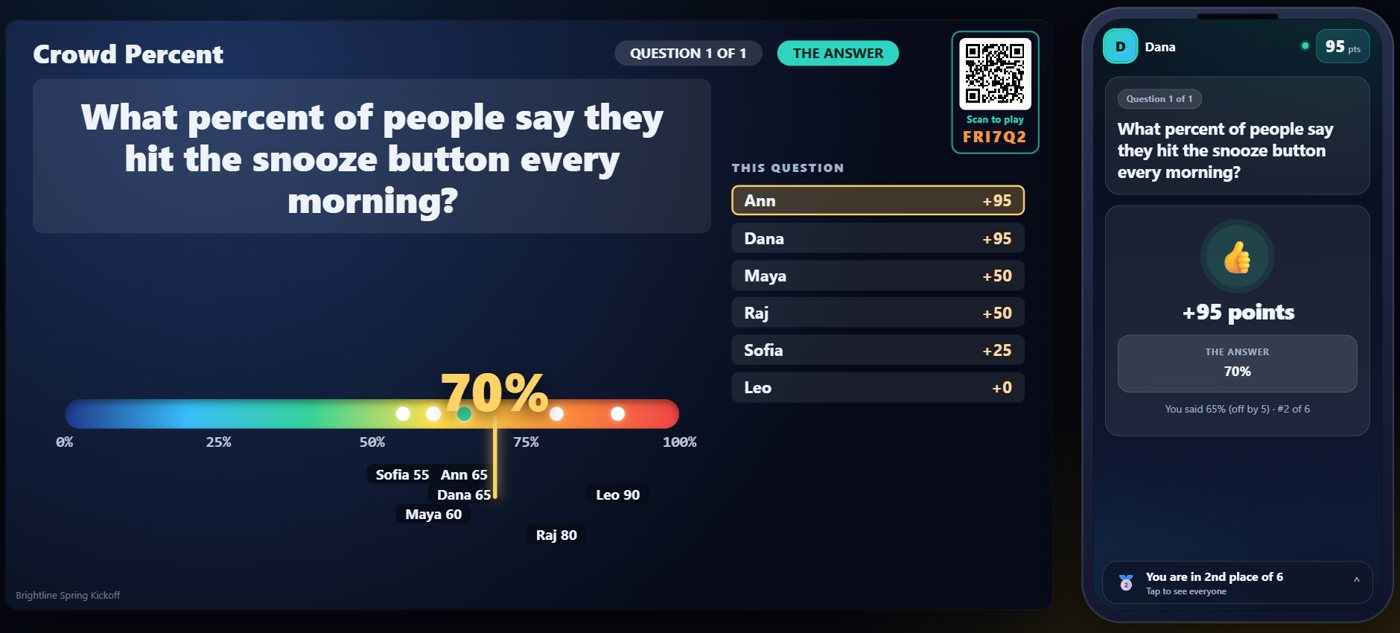
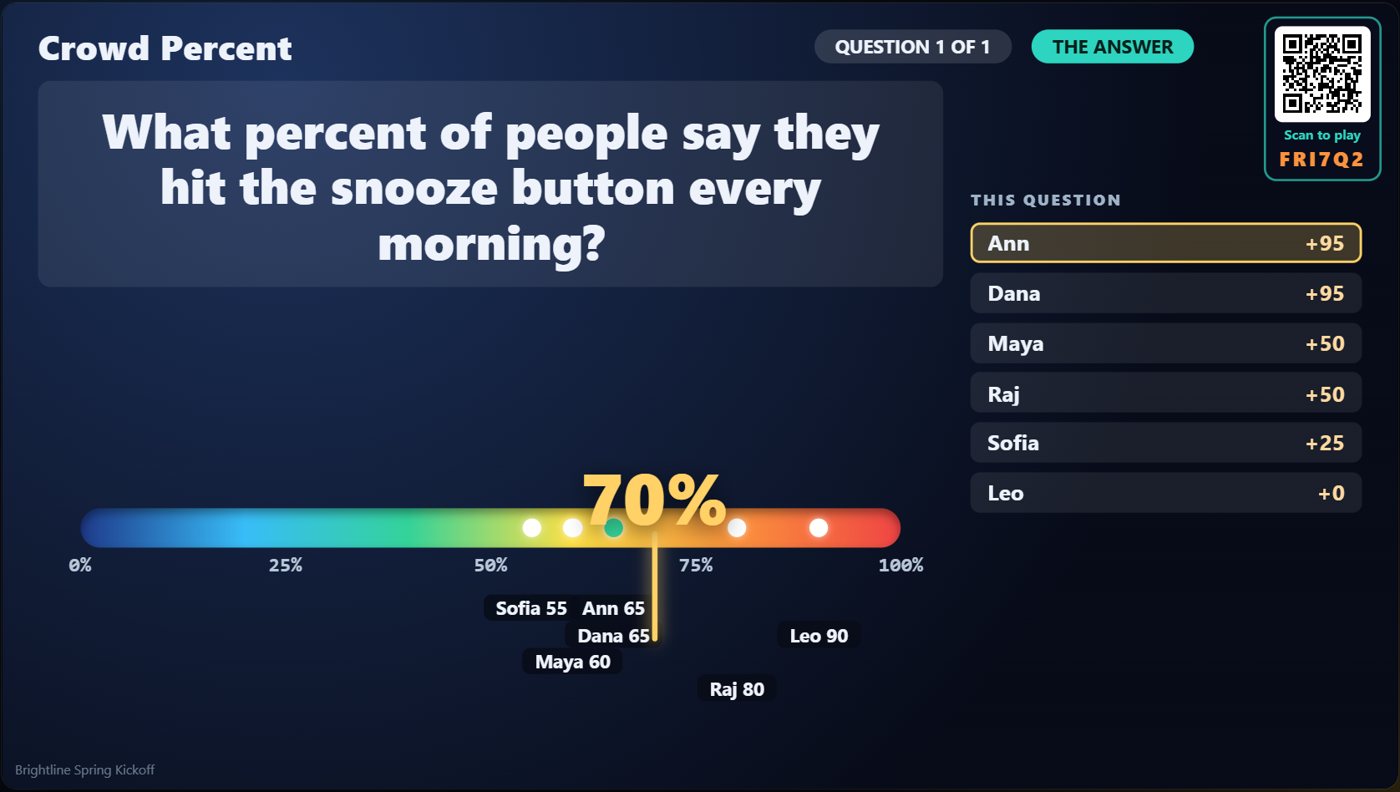
When you reveal, the TV draws a line from zero to one hundred with every guest's guess on it, and the real answer. The closest guess earns a bonus. Each phone shows the answer and what you scored.
Your controls on the Live tab
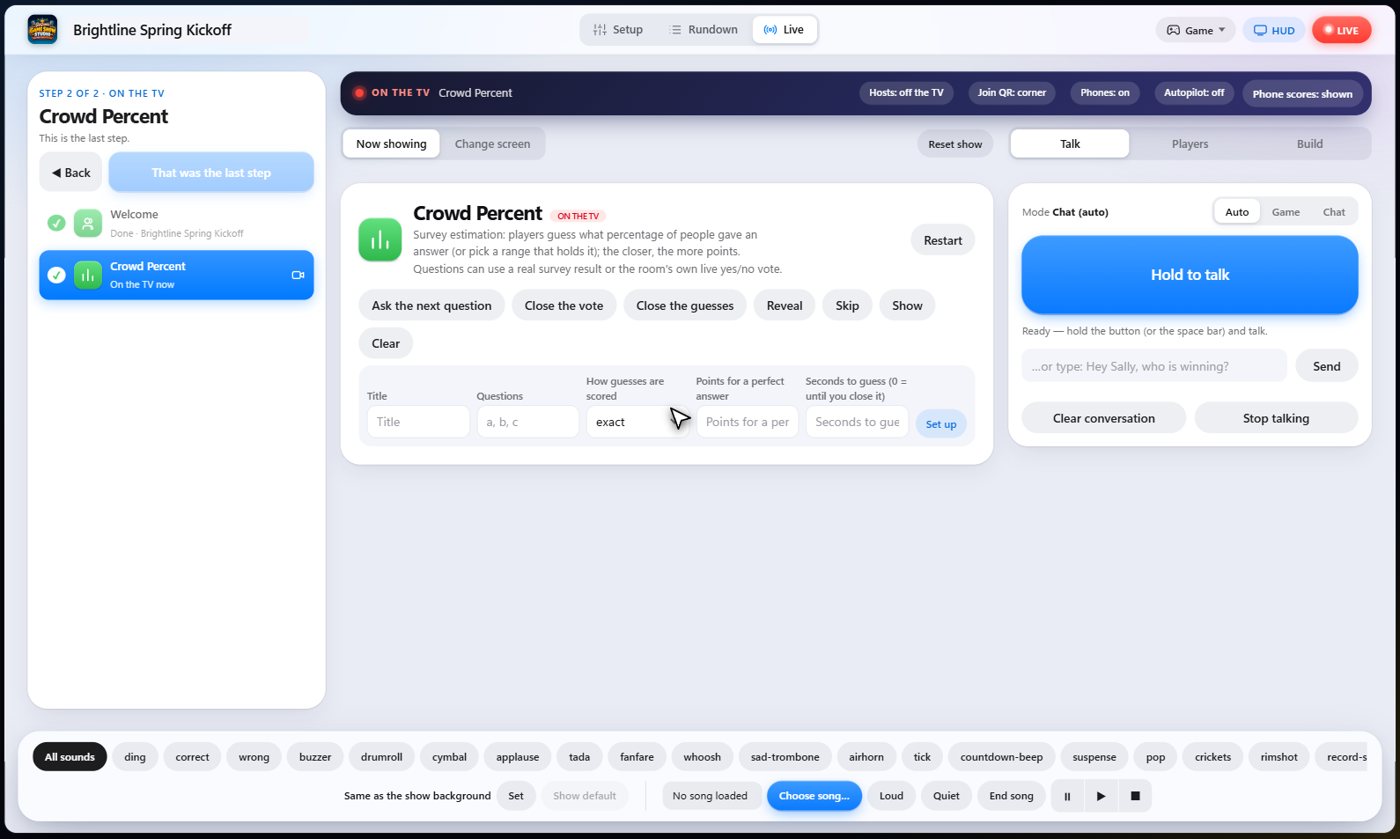
On the Live tab, Ask the next question puts a question up, Close the guesses stops the guessing, Reveal shows the real percentage and scores everyone, and Skip drops a question.
Tip The same keys are on the Host Remote, so you can run Crowd Percent from a phone or tablet.
How it ends
The TV keeps the line, the guesses and the answer on screen, and the points go to the scoreboard.
Keep going

Build your show
The Rundown: add, arrange, check and save steps; reserves; defaults for every step.

The Host Remote
Run your show from a phone or tablet: start it, tap any step to see its keys, put it on the TV, and flip in a side game.

Your AI cohosts
Choose and name them, give them a personality, tell them about the show, set how they behave.
Something missing or unclear? Check the FAQ or browse all guides.